
OnPay review
OnPay is full-service payroll at a single flat price, with multi-state payroll, tax filing, and year-end forms included rather than gated behind upgrade tiers.
Our content reflects the editorial opinions of our reviewers. Kurums may earn a commission from “Visit” links, marked accordingly. This never affects a brand’s badge tier — see our independent review standards.
OnPay at a glance
- One plan at $49 per month plus $6 per worker — no tier gating on core payroll
- Multi-state payroll included at no upcharge, which removes the industry's most common cost cliff
- W-2s, 1099s, and all federal, state, and local filings included with an accuracy guarantee
- Expanded HR functionality is now a paid add-on at $15 base plus $2 per worker
- Free first month, free onboarding, and free migration from a previous provider
Pros
- No upgrade tiers for core payroll — the price does not change when you cross a state line
- Consistently among the highest-rated for customer support in the category
- Year-end forms and multi-state filing included at no extra charge
- Free setup, data migration, and prior-wage import handled by OnPay staff
- Tax accuracy guarantee: OnPay handles agency penalties from its own errors
Cons
- No longer strictly all-inclusive — deeper HR is a separate add-on
- Shallower HR and onboarding than Gusto at a now-equal base price
- No native time tracking; you integrate a third-party tool
- Not designed for large enterprises or global payroll
- Benefits run through OnPay's own agency, which is less flexible than open broker integration
What is OnPay?
OnPay is a payroll and HR platform for small and mid-sized US businesses, built by a company with roughly three decades of payroll service history behind the software. Its market position rests on one idea: a single plan, priced openly, with the features other providers gate.
That positioning matters more than it sounds. Most of this category prices in tiers, and the tier boundaries fall exactly where growing businesses cross them — a second state, next-day deposit, custom reports. OnPay includes multi-state payroll, unlimited pay runs, all tax filings, and year-end forms in the base price, so hiring in a new state changes your headcount cost and nothing else.
The picture is slightly less absolute than it once was. OnPay now sells expanded HR functionality — PTO management, customisable workflows, document audits — as a paid add-on, so the historic all-inclusive claim needs a small asterisk. Core payroll remains genuinely untiered, which is the part that determines most bills.
OnPay pricing
OnPay charges one base fee plus a per-worker fee, billed only for workers actually paid in that period. Published rates moved from $40 to $49 base during 2025–2026, so older comparison articles still quoting $40 are out of date. There is no charge per pay run regardless of frequency.
| Plan | Price | Best when |
|---|---|---|
| Payroll and hiring essentials | $49/mo + $6/worker | Full-service payroll, all states, unlimited runs, W-2s and 1099s |
| HR add-on | +$15/mo + $2/worker | PTO management, custom workflows, document audits, org charts |
| Year-end form mailing | Per form | OnPay printing and mailing W-2s and 1099s to workers directly |
| First month | Free | Evaluating the platform after self-onboarding and bank verification |
Pricing as researched in August 2026. The per-worker fee applies once per month per person included in at least one pay run, regardless of pay frequency. Insurance premiums, 401(k) plan fees, and third-party integrations are separate. SaaS sales tax applies in some states.
OnPay is best suited for…
- Small businesses that want payroll done properly without paying for HR depth they will not use
- Employers with staff in more than one state who are tired of multi-state upcharges
- Teams switching providers who want migration handled for them rather than self-serve
- Organisations that value phone support from people who know payroll
- Nonprofits, clinics, restaurants, and agriculture, where OnPay handles specialised filings well
OnPay features
OnPay's feature set is deliberately focused. It does payroll comprehensively and stops short of trying to be an HCM, which is why the price stays flat.
Ease of use
OnPay is straightforward in the way experienced payroll people design things: a clean side navigation, an itemised pay run you can expand line by line, and few places to get lost. Running payroll takes minutes, and the onboarding wizard walks a first-time employer through company setup without assuming prior knowledge.
It is not as polished as Gusto in employee-facing experience, and the absence of native time tracking means hourly teams need a second tool integrated. For an owner whose priority is that payroll is correct and predictable rather than delightful, that trade is usually the right one.
Customer service & support
Support is OnPay's strongest non-price asset and the thing reviewers mention most often. Phone, chat, and email support is staffed by people with actual payroll knowledge, which is conspicuously not the norm at this price point. Migration support and setup assistance are included rather than sold.
This matters because payroll problems are deadline-bound. The category's usual pattern is that competent support costs extra — it sits on a premium tier or comes with a dedicated-manager package. OnPay includes it, which for a small employer without an HR function is worth more than most feature comparisons capture.
OnPay contract & commitment
There is no contract, no setup fee, and no termination penalty; billing is month-to-month and the first month is free after you self-onboard and verify your bank account. Two billing details are worth knowing. The per-worker fee applies to anyone included in at least one pay run during the period, so leaving inactive workers checked in a run adds cost unnecessarily. And in states where SaaS subscriptions are taxable, sales tax applies on top of the published price.
OnPay reviews
OnPay holds some of the highest satisfaction scores in small-business payroll, with an unusually consistent review profile: support and pricing transparency dominate the praise, and the criticism is almost entirely about scope rather than quality.
Common complaints
- Less HR depth than competitors Fewer onboarding tools, no offer letter templates, and a thinner employee experience than Gusto — now at a matching base price.
- HR features moved to an add-on PTO management, custom workflows, and document audits are no longer in the flat price, which softens the all-inclusive positioning.
- No native time tracking Hourly and shift-based teams must integrate a third-party tool, adding a vendor and a cost line.
- Limited automation No autopilot-style scheduled runs; reviewers who want fully hands-off payroll notice the gap.
- Not for large or global teams No enterprise HR layer and no global payroll; companies past a few hundred people outgrow it.
What users praise
- Support quality The most cited strength by a distance — knowledgeable people, reachable by phone, included at every price point.
- No hidden fees Users repeatedly note the bill matching the quote, with multi-state and year-end forms genuinely included.
- Migration handled for you Switching customers highlight OnPay staff entering prior wage data rather than handing over a spreadsheet.
- Accuracy The tax guarantee is cited less for the money than for the confidence — filings land correctly and on time.
- Value at multi-state scale For distributed teams, including multi-state at no upcharge makes OnPay meaningfully cheaper than tiered competitors.
OnPay alternatives
OnPay vs Gusto
The base prices now match at $49 plus $6 per person, so this comes down to shape rather than cost. Gusto gives more HR, better onboarding, and a stronger employee app; OnPay gives multi-state with no upgrade, better support at the base tier, and no cost cliffs. Multi-state teams are usually cheaper on OnPay; HR-heavy teams get more from Gusto.
OnPay vs Rippling
Different products at different prices. Rippling is a platform unifying HR, payroll, and IT with quote-based modular pricing; OnPay is payroll at a published flat rate. If you only need payroll, the difference in cost is large and the difference in outcome is small.
OnPay vs Patriot Payroll
Patriot undercuts OnPay on headline price, particularly on its self-service tier where you handle your own tax filings. OnPay's full-service filing, accuracy guarantee, and support depth justify the gap for most employers who do not want to touch a 941 themselves.
OnPay vs ADP or Paychex
The legacy providers quote custom pricing, often bill per payroll run, and charge separately for year-end forms. OnPay is typically cheaper and far easier to price below 100 employees. ADP and Paychex win where you need PEO services, deep compliance consulting, or genuine enterprise scale.
Final verdict on OnPay
| Pricing | $49/mo + $6 per worker; HR add-on +$15/mo + $2 per worker |
| Contract | None — month-to-month, first month free |
| Best for | Small and multi-state US teams that need payroll done right |
| Main watch-out | HR depth is thinner than Gusto at the same base price |
| Kurums tier | Kurums Recommends — Payroll Software 2026 |
OnPay earns Kurums Recommends because it removes the two things that make payroll pricing unpredictable: upgrade tiers and surprise fees. Multi-state payroll, all tax filings, year-end forms, and migration are included in one published rate, and the support you reach when something goes wrong is the best we encountered at this price point. For a small employer without an HR function, that combination is genuinely valuable.
It stops short of a Top Pick for two related reasons. The base price has risen to match Gusto's, which erases the value gap that defined OnPay's positioning for years — and at parity, Gusto's HR depth and employee experience are stronger. Meanwhile the move of expanded HR into a paid add-on means the all-inclusive story now needs qualifying, even though core payroll remains untiered.
The decision is cleaner than the comparison suggests. If your team spans states, or you value reachable expert support over polished HR tooling, OnPay is the better buy and will stay cheaper as you grow. If you want onboarding, benefits depth, and a strong employee app in the same subscription, pay the same money for Gusto instead.
Ekrem Duman is a CFO and the founder of Kurums, where he leads editorial reviews of business software and financial services. He has advised multinational companies on financial reporting, tax compliance, and cross-border operations, and built Kurums into an English-language business intelligence platform covering finance, accounting, HR, and technology.
Related guides
Best Workforce Planning Software in 2026: Pricing & Comparison
Buyer's guide · HR Best Workforce Planning Software in 2026: Pricing & Comparison We compared four workforce planning platforms on public pricing, scenario modelling, headcount tools and fit so you can shortlist two in ten minutes. By Kurums EditorialPricing checked...
Best Employee Experience Software in 2026: Pricing & Comparison
Buyer's guide · HR Best Employee Experience Software in 2026: Pricing & Comparison We compared four employee experience and engagement platforms on public pricing, free or trial options, survey and performance modules, and deployment model so HR and people teams can...
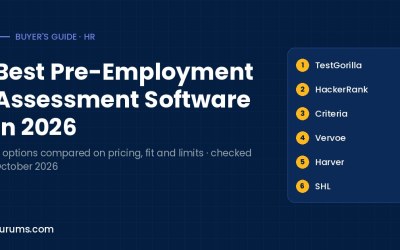
Best Pre-Employment Assessment Software in 2026: Skills Tests Compared
Six pre-employment assessment platforms compared on pricing, free plans and trials, test libraries, AI scoring and the hiring volumes they suit.
Last updated 4 October 2026. Pricing and features change often; confirm them on the vendor’s own pages before you buy.
Disclosure: Kurums is reader-supported. Links marked sponsored may earn us a commission; they never affect a badge tier or a verdict. See how we make money and the badge criteria.