TL;DR:Choose the ecosystem your people already live in. Microsoft 365 fits Office-desktop, Outlook and Windows/Intune estates. Google Workspace fits browser-first Gmail/Docs/Meet collaboration with pooled storage. Base Business seat prices often look similar (~$7 / $14 / $22 class tiers) — decide on desktop apps, identity/device depth, meetings culture and AI packaging (Copilot add-on vs Gemini-in-edition), then run a 2-week pilot. Fit labels are Kurums interpretation from public pricing checked 2026-09-17.
Microsoft 365 vs Google Workspace is a full productivity-suite decision: identity, mail, documents, meetings, storage and admin controls. This page is a how-to-choose guide for ops/IT leads — not a duplicate of our business email hosting, cloud storage or IAM/SSO comparisons.
We compare public business-tier packaging, ecosystem fit and migration watch-outs. We do not crown a universal winner. Pricing reflects publicly listed US rates checked on 2026-09-17 (including Microsoft’s July 2026 business packaging updates); always verify live vendor pages before purchase.
Microsoft 365 vs Google Workspace at a glance
Dimension
Microsoft 365
Google Workspace
Typical fit (Kurums)
Office-desktop / Windows-centric
Browser-first collaboration
Business seat examples
Basic ~$7 / Standard ~$14 / Premium ~$22 user/mo annual
Starter ~$7–$8.40 / Standard ~$14–$16.80 / Plus ~$22–$26.40
Seat examples reflect publicly discussed US business rates as of 17 September 2026 (including Microsoft July 2026 updates and Google flexible vs annual differences). Promotions and regional SKUs change. Always verify live vendor pages. Fit labels are Kurums interpretation, not vendor rankings.
Suite cards and decision dimensions
Microsoft 365
Best for Office-desktop & Windows estates
Best for: Businesses standardized on Word, Excel, Outlook, Teams and Windows device management.
Microsoft 365 Business plans bundle Exchange email, OneDrive, Teams, SharePoint and (on Standard/Premium) desktop Office apps. Public US business pricing after Microsoft’s July 2026 packaging updates is commonly listed near Business Basic $7, Business Standard $14 and Business Premium $22 per user/month when billed annually — confirm live on Microsoft’s business compare page. Entra ID and Intune depth rise by tier; Copilot is typically a paid add-on requiring an eligible base license.
Starting price
Business Basic ~$7 / Standard ~$14 / Premium ~$22 per user/mo (annual; verify live after Jul 2026 updates)
Best for short
Office-desktop orgs
Pricing model
Per user/month (monthly or annual billing)
Hosting model
Microsoft 365 cloud (desktop apps on Standard+)
Standout
Desktop Office + Teams + Entra/Intune adjacency
Main limitation
Browser-first teams may pay for desktop weight they will not use; Copilot is usually extra
Choose Premium when endpoint management and advanced security gates matter
Map Copilot SKUs separately — do not assume AI is included in Business Standard
Strong default if Outlook/Windows culture is non-negotiable
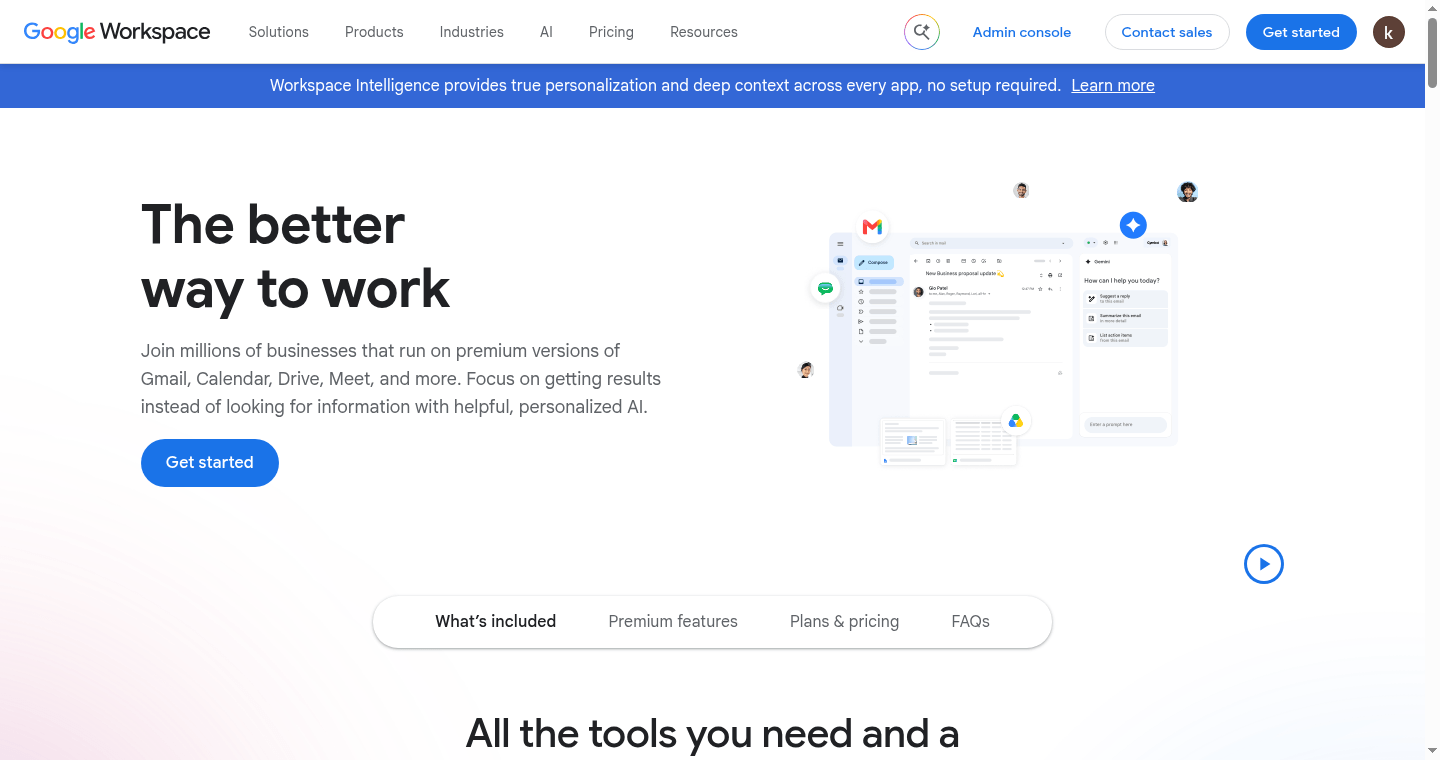
Best for: Teams that live in Gmail, Docs, Sheets, Drive and Meet with pooled storage and real-time co-editing.
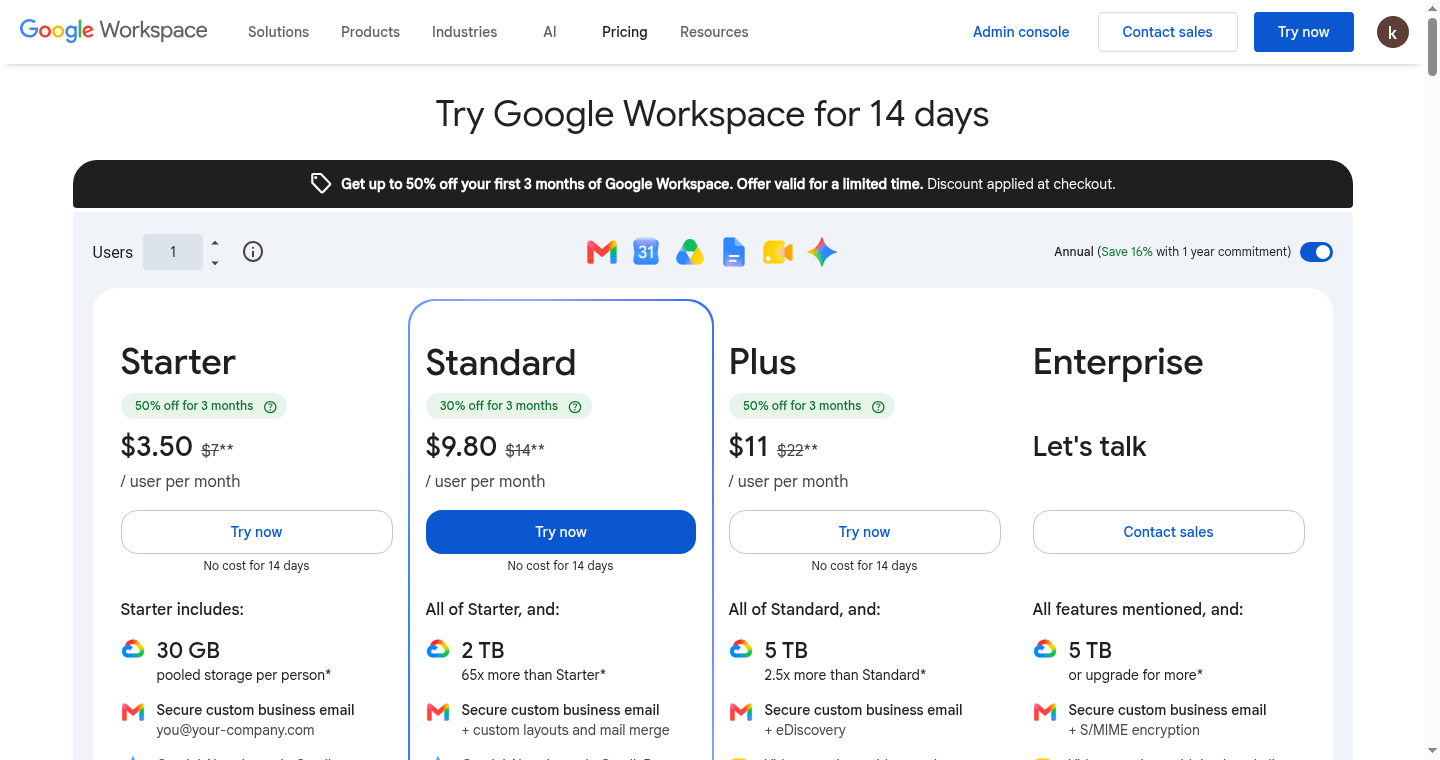
Google Workspace Business editions (Starter, Standard, Plus) and Enterprise publish per-user prices on workspace.google.com/pricing. Commonly listed flexible rates are about $8.40 / $16.80 / $26.40 per user/month for Starter / Standard / Plus, with lower monthly-equivalent rates on annual/flexible commitments (often cited near $7 / $14 / $22) — confirm live and watch promotional footnotes for new customers. Storage is pooled per organization. Gemini features are edition-gated; verify which Gemini capabilities ship in each SKU.
Starting price
Business Starter ~$7–$8.40 / Standard ~$14–$16.80 / Plus ~$22–$26.40 per user/mo (annual vs flexible; verify live)
Best for short
Browser-first collaboration
Pricing model
Per user/month; pooled storage by edition
Hosting model
Google Cloud Workspace SaaS (browser-first; offline apps available)
Standout
Real-time co-editing + pooled Drive storage simplicity
Main limitation
Heavy desktop-Office macros/templates can be painful; advanced Vault/DLP is tier-gated
Standard is the usual SMB collaboration sweet spot — Plus when Vault/advanced endpoint matter
Promotional first-year prices may not equal renewal rates — model year-2
Strong default for Chrome-first and Google-centric identity estates
Best for: Deciding whether meeting culture should follow Teams hubs or Meet-in-Calendar simplicity.
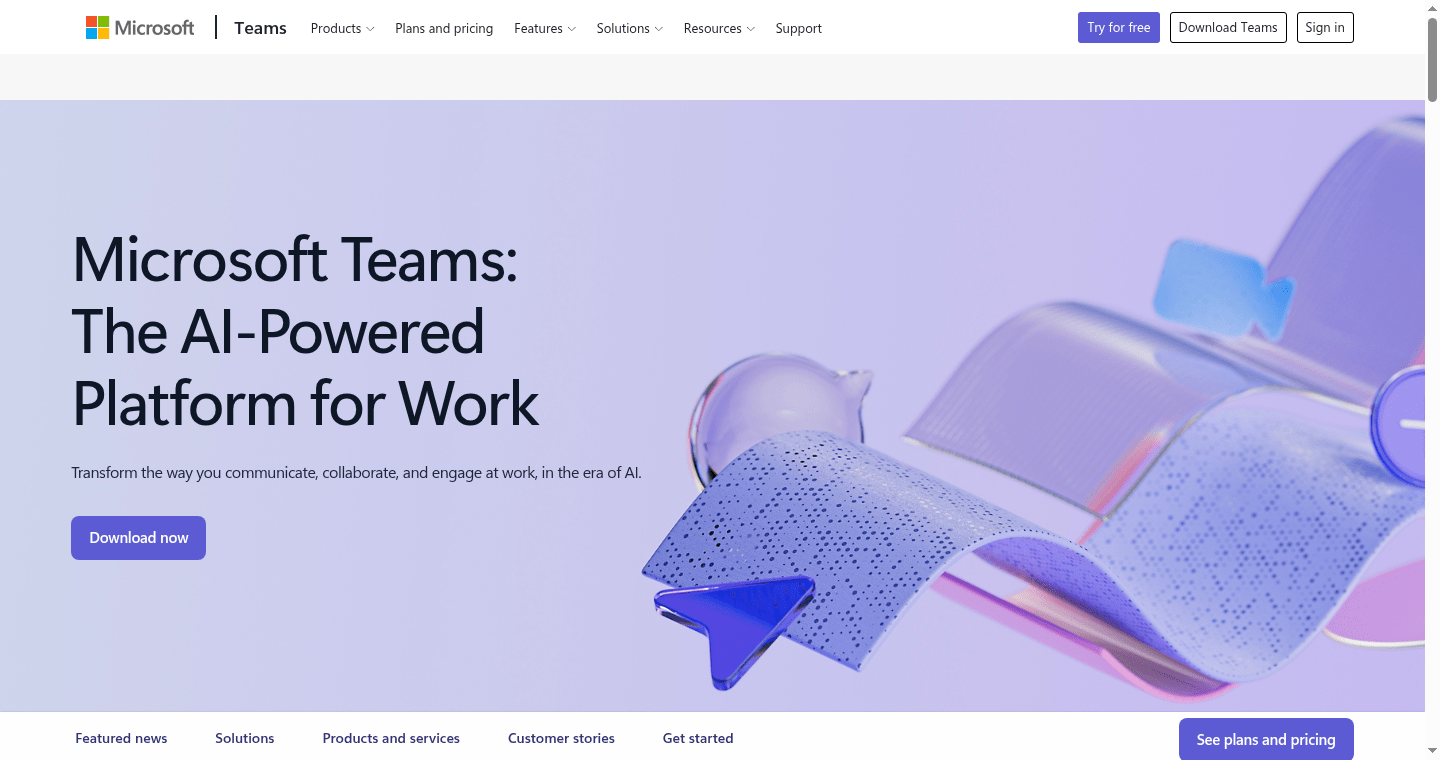
Microsoft centers chat-files-meetings in Teams; Google centers Meet with Calendar/Gmail and Drive co-editing. Neither is universally “better” — match the suite to how people already meet clients and collaborate on documents. For email-only needs, see our business email hosting comparison instead of buying a full suite.
Starting price
Included in comparable Business tiers (verify meeting participant limits by edition)
Best for short
Teams vs Meet culture
Pricing model
Bundled in suite seats
Hosting model
Suite-bundled
Standout
Ecosystem meeting defaults beat standalone video for most internal work
Main limitation
External webinars may still need a dedicated tool (e.g. Zoom) regardless of suite
Pilot both meeting tools with the same customer-facing agenda before annual commit
Check recording, webinar and dial-in gates by SKU
Do not pick a suite only because “everyone knows Word” if Docs already works
Best for: IT leads comparing Entra ID + Intune depth versus Google admin + endpoint management tiers.
Microsoft Business Premium is often the pragmatic tier when Windows fleet hardening and conditional access matter. Google Workspace Plus/Enterprise unlock Vault, advanced endpoint and stronger admin controls. Cross-link dedicated IAM and endpoint comparisons for deep tool choice — this page stays at suite-level fit.
Starting price
Security depth rises by Business Premium / Workspace Plus+ (verify feature matrices)
Best for short
Entra/Intune vs Workspace Admin
Pricing model
Tier-gated security & compliance features
Hosting model
Cloud identity + MDM features by SKU
Standout
Suite choice sets your default identity and device plane
Main limitation
Lowest tiers lack eDiscovery/Vault depth many regulated teams need
List retention, eDiscovery and DLP requirements before picking Starter/Basic
Budget third-party backup even on Premium/Plus tiers
SSO to the rest of the stack matters as much as mailbox features
Best for: Buyers comparing Microsoft 365 Copilot add-on economics versus Gemini features bundled into Workspace editions.
As of public packaging checked 2026-09-17, Gemini capabilities are commonly tied to Workspace edition, while Microsoft 365 Copilot is generally sold as a paid add-on on eligible M365 base licenses (Business Copilot often listed near $21/user/mo annual; Enterprise near $30 — verify live). That packaging difference can flip TCO even when base suite seats look similar.
Starting price
Copilot often ~$21–$30/user/mo add-on; Gemini edition-gated — verify live SKUs
Best for short
Copilot add-on vs Gemini-in-edition
Pricing model
Add-on (Microsoft) vs edition-included (Google) — confirm current matrices
Hosting model
Suite-integrated AI
Standout
AI packaging may matter more than $1–2 seat deltas
Main limitation
Feature names move quickly — re-read both AI SKU pages at renew time
Price AI only for seats that will use it weekly
See also Kurums workplace AI assistants comparison for deeper Copilot/Gemini detail
Do not double-buy overlapping meeting-recap AI across tools
Inventory current apps (desktop Office macros? Chrome-first?), collaboration style, device fleet, compliance needs, AI budget and whether you only need email.
Choose Microsoft 365 when desktop Office, Outlook culture, Teams hubs or Windows/Intune management are the center of gravity. Prefer Business Premium when endpoint and conditional-access gates are requirements — not optional nice-to-haves.
Choose Google Workspace when real-time Docs/Sheets co-editing, Gmail simplicity and pooled Drive storage matter more than desktop Office parity. Step up to Plus when Vault and advanced endpoint controls are mandatory.
Coexistence is possible but painful (dual mail, calendar free/busy, file-format drift). Prefer a time-boxed migration with a pilot group over indefinite dual-stack. If you only need mail, compare email hosting first.
Price alone is a weak differentiator when mid-tiers land near the same dollar band — ecosystem fit and AI packaging decide more. Guidance is Kurums interpretation from public pricing checked 2026-09-17 — not sponsored advice.
Tip: Run a 10–15 user pilot for two weeks on the shortlisted suite (real mail, one recurring meeting type, one shared Drive/SharePoint library) before annual commit. Renewal pricing and AI add-ons change the TCO more than the brochure seat sticker.
How we evaluate
We compare suites on public business-tier pricing, ecosystem fit, identity/device depth, meetings model, AI packaging and migration friction. We do not claim a universal “best suite.”
Primary sources are Microsoft and Google pricing/plan pages checked on 2026-09-17 (see SOURCE-LEDGER). Re-check every price at publish time.
Frequently Asked Questions
Microsoft 365 or Google Workspace — which is better for a small business?
Match the ecosystem. Google Workspace fits browser-first Gmail/Docs teams; Microsoft 365 fits Office-desktop and Windows-centric orgs. Seat prices often look similar — pilot collaboration style before you commit.
Is Microsoft 365 cheaper than Google Workspace?
Base Business tiers often land in a similar band (roughly $7 / $14 / $22 class). Copilot add-ons, Google flexible vs annual billing, storage pooling and security tier gates change TCO — compare live pages for your headcount.
Can we use Microsoft 365 and Google Workspace together?
Yes for a transition, but long-term dual suites raise calendar, file and admin cost. Prefer a planned migration with coexistence only as a bridge.
Which is better for Teams vs Google Meet?
Teams wins when chat+files+meetings should be one hub inside Microsoft 365. Meet wins when Calendar/Gmail simplicity is enough. External webinars may still need a dedicated tool.
Does Google Workspace include desktop Office apps?
Workspace is browser-first with offline clients; it does not replace licensed Microsoft desktop Office. If macros-heavy Excel is critical, Microsoft 365 Standard/Premium is usually the safer fit.
Which suite is better for security and compliance?
Both can be strong on higher tiers. Microsoft Business Premium + Entra/Intune is a common Windows estate path; Google Workspace Plus/Enterprise adds Vault and advanced controls. Map retention/eDiscovery needs to SKUs.
How hard is migration either direction?
Mail and calendar are manageable with tools; file permissions and habits are harder. Budget change management and a pilot OU/group — not only IMAP cutover.
Do we need Business Premium / Business Plus, or is Standard enough?
Standard-class tiers fit many SMBs. Step up when endpoint management, Vault/eDiscovery or advanced security gates are required — not because the higher tier sounds safer.
How do Copilot and Gemini change the decision?
Microsoft often prices Copilot as an add-on; Google often gates Gemini by Workspace edition. Model AI seats explicitly — they can exceed the base suite delta.
Should we buy email-only instead of a full suite?
Yes if you will not use docs/meetings/storage. See our business email hosting comparison; do not pay suite prices for mailbox-only needs.
Last Updated: 17 September 2026 (Europe/Istanbul) · Reviewed by the Kurums Technology editorial team. This comparison is independent and informational; it is not purchasing advice. Verify pricing, features and integrations directly with each provider.
Disclosure: Kurums comparisons are editorial and informational. “Visit” links go to official vendor sites. If a link later becomes affiliate or sponsored, it will use sponsored/nofollow attributes and this disclosure will be updated. Always verify current pricing and terms on the vendor page.