Buyer's guide · Sales
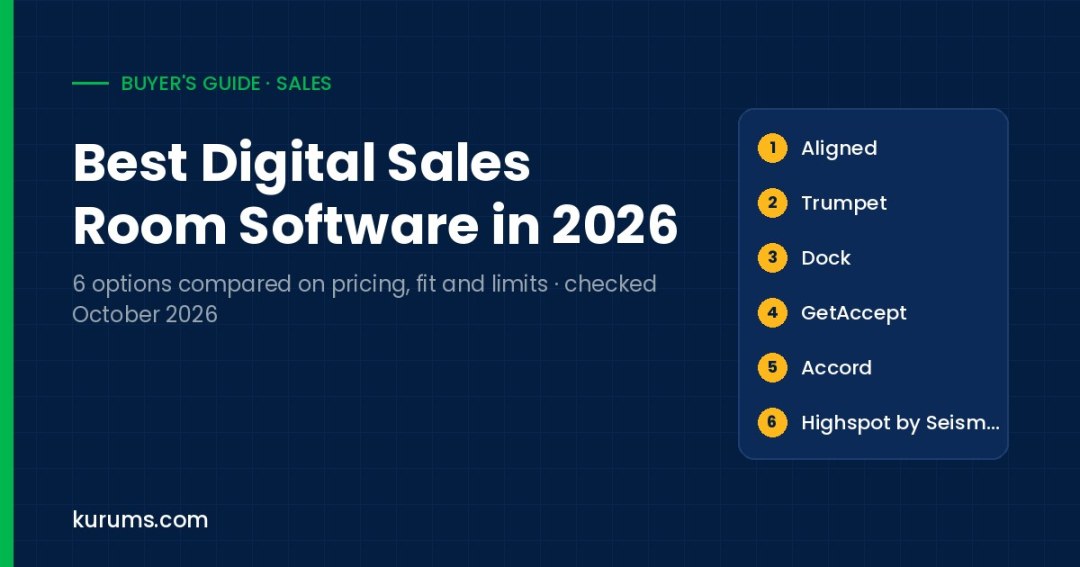
We compared six digital sales room platforms on published pricing, free plans or trials, mutual action plans, buyer engagement analytics, CRM integration and the main limitation a buyer should check before signing.
- Small team testing deal rooms: Aligned — Free Starter plan with mutual action plans and stakeholder maps; paid seats from $29 per seat per month on annual billing.
- Startups wanting AI workspaces: Trumpet — Free plan with 10 Pods and unlimited users; Pro is $45 per user per month billed monthly.
- Teams wanting rooms plus onboarding: Dock — Free plan, and Standard is $350 per month for 5 users with external buyers free.
- Deals that end in e-signature: GetAccept — Professional at $49 per user per month (annual, 5-user minimum) bundles rooms, mutual action plans and e-signing.
- Enterprise enablement buyers: Highspot by Seismic — Digital Sales Rooms are included in all three Highspot plans alongside content and training; pricing is quote-based.
A digital sales room is a shared, branded web workspace that a seller creates for one buyer or one deal. Instead of scattering decks, pricing, security documents and next steps across email threads, the seller puts them on one link that every stakeholder can open. Most tools add a mutual action plan, which is a shared checklist of milestones and owners, plus engagement analytics that show who viewed what and for how long. The category solves a practical problem in B2B selling: buying committees are large, champions forward material internally, and sellers lose sight of who is involved. Buyers are typically account executive teams in SaaS and services, sales leaders who want consistent deal execution, and customer success teams that reuse the same workspace for onboarding.
We compared each product on six fields: published pricing, free plan or trial, mutual action plan support, buyer engagement analytics, CRM integration and its main limitation. Products are listed in practical buyer order, starting with tools that publish self-serve prices and free plans and ending with quote-led enterprise platforms. The order is not a quality ranking. Every price, plan and free-tier detail was checked on the vendor's official pricing or product page on 12 October 2026. Prices are in USD unless stated and can change, so confirm the current figure, seat minimums and contract term in your own quote.
Digital Sales Room Software compared at a glance
| Platform | Pricing | Best for | Link |
|---|---|---|---|
| 1. Aligned | Free Starter; Basic $29, Pro $49 per seat/mo annual ($35/$60 monthly) | Small teams starting free | Site → |
| 2. Trumpet | Free; Pro $45, Scale $100, Elite $160 per user/mo monthly | AI-built buyer workspaces | Site → |
| 3. Dock | Free; Standard $350/mo for 5 users; Premium $1,000/mo annual for 10 | Rooms plus onboarding plans | Site → |
| 4. GetAccept | eSign $25/user/mo; Professional $49/user/mo annual, 5-user minimum | Rooms that close with e-signature | Site → |
| 5. Accord | From $99/user/mo plus platform fee; Growth from $119; Enterprise custom | Methodology-driven enterprise deals | Site → |
| 6. Highspot by Seismic | Quote-based; Digital Sales Rooms included in all three plans | Enterprise enablement suites | Site → |
Pricing checked 12 October 2026 on each vendor's official pricing or product pages. Prices are list prices in USD unless stated; "Quote-based" means the vendor does not publish a price. Order follows buyer fit and pricing transparency, not a quality score. Confirm billing basis, minimums and taxes with the vendor before you buy. Methodology is described below.
The 6 options in detail
Aligned
Best for small teams starting freeBest for: Sales and customer success teams that want to try deal rooms on a free plan and scale to low per-seat pricing.
| Attribute | Aligned |
|---|---|
| Published pricing | Basic $29 and Pro $49 per seat per month on annual billing; $35 and $60 monthly; Enterprise custom |
| Free plan or trial | Free Starter plan, no credit card, up to 4 active rooms per seat; no time-limited trial |
| Mutual action plans | Included on every plan, including the free Starter tier |
| Buyer engagement analytics | Room analytics, engagement analysis, analytics triggers and flags; AI stakeholder mapping |
| CRM integration | Salesforce and HubSpot; bi-directional sync listed on Enterprise |
| Main limitation | Bi-directional CRM sync, SSO and SCIM sit on the custom-priced Enterprise plan |
- Mutual action plans, stakeholder maps and unlimited buyer stakeholders are included even on the free Starter plan.
- Pro adds AI Client Assist, AI Deal Builder and Gong and PandaDoc integrations for $49 per seat per month on annual billing.
- The free plan caps each seat at 4 active rooms, and two-way CRM sync is reserved for Enterprise.
Our take: Aligned is the easiest way on this page to put real deals into shared rooms without a budget conversation. A rep can open a free Starter account, build up to four active rooms, add a mutual action plan and see which stakeholders engaged, all without a card. The AI layer builds workspaces, drafts business cases and executive summaries for champions, and flags newly surfaced decision-makers when a room is forwarded internally. The step from Basic to Pro is mainly about AI and integrations such as Gong and PandaDoc, so decide early whether you need those. In a trial, test how the room looks to an external buyer on mobile, how forwarded viewers are identified, and what lands in your CRM on Basic or Pro versus Enterprise. Compared with Trumpet, Aligned is cheaper per seat at the entry tier; compared with Dock, it prices per seat rather than per bundle of users, which suits teams that grow a few reps at a time.
Trumpet
Best for AI-built buyer workspacesBest for: Startups and scale-ups that want AI to assemble buyer Pods from call recordings and content, with unlimited users on the free plan.
| Attribute | Trumpet |
|---|---|
| Published pricing | Pro $45, Scale $100, Elite $160 per user per month billed monthly; $450, $1,000 and $1,600 per user per year annually |
| Free plan or trial | Free forever plan with 10 Pods and unlimited users; no paid-plan trial length stated |
| Mutual action plans | Mutual action plans included from the free plan upward |
| Buyer engagement analytics | Basic analytics free; AI engagement score on Pro; advanced and team analytics on Scale and Elite |
| CRM integration | Salesforce and HubSpot from Pro; 40+ integrations on free; DocuSign, PandaDoc and Gong on Scale |
| Main limitation | Pro is limited to 5 users, and e-signature and proposals start at Scale |
- The free plan allows unlimited users and 10 Pods, and existing Pods stay live after you reach the cap.
- Scale adds e-signature, proposals and quotes, video recording and a management dashboard in one workspace.
- Useful deal features such as e-signature and CRO coaching sit on Scale at $100 per user per month, well above the Pro tier.
Our take: Trumpet calls its rooms Pods and positions them across the full customer journey, from first call to onboarding and renewal. Its AI Copilot builds a Pod from your content, call recordings and deal context, while an engagement score and AI org charts flag missing decision-makers. The free plan is generous for evaluation because it has no user cap, so a whole team can test it on ten live deals. The pricing jump is the thing to model: Pro at $45 per user per month covers CMS, analytics and Salesforce or HubSpot integration but caps at five users, while proposals, e-signature and Gong integration require Scale. In a demo, ask how Pods sync activity back to your CRM, how buyer-side AskAI answers are restricted to Pod content, and whether onboarding Pods can be handed to customer success without re-creating them. Against GetAccept, Trumpet is lighter on contract execution at entry level but stronger on post-sale workspaces.
Dock
Best for rooms plus onboarding plansBest for: Revenue teams that want deal rooms, a content library, order forms and customer onboarding plans on one platform, with buyers free.
| Attribute | Dock |
|---|---|
| Published pricing | Standard $350 per month including 5 users; Premium $1,000 per month billed annually including 10; extra seats $50 per month |
| Free plan or trial | Free plan with 10 workspaces, 25 CMS assets and the Chrome extension; no free trial listed |
| Mutual action plans | Next-steps checklists with milestone owners and statuses inside each workspace |
| Buyer engagement analytics | Workspace engagement tracking; AI search and buyer AI chat across content |
| CRM integration | Salesforce and HubSpot from Standard; CRM-integrated order forms on Premium |
| Main limitation | Bundle pricing means a two-rep team still pays for the 5-user Standard tier |
- Dock charges only for internal team members; external buyers and collaborators have free access.
- Order forms with line items, billing frequency and signature status sit alongside deal rooms and onboarding plans.
- The jump from the free plan to $350 per month is steep for one or two sellers, and SSO with SCIM is Enterprise-only.
Our take: Dock treats the deal room as one part of a broader buyer and customer workspace. A rep can create a workspace from a template, add a business case, pricing and a next-steps checklist, then convert the same space into a phased onboarding plan once the deal closes. The content library with AI search, order forms and short training courses make it attractive to teams that want enablement, sales rooms and handoff in one tool. Pricing is bundled: Standard includes five users for $350 per month, which works out to $70 per user if you fill the seats, and Premium includes ten users with Google Drive and SharePoint sync. In a trial on the free plan, test how order forms connect to your CRM and whether the next-steps checklist is detailed enough for complex enterprise deals. Compared with Aligned and Trumpet, Dock is less per-seat flexible but covers more of the post-sale handoff.
GetAccept
Best for rooms that close with e-signatureBest for: Sales teams that want the deal room, proposal and legally binding signature in one flow, including eIDAS-compliant signing for European deals.
| Attribute | GetAccept |
|---|---|
| Published pricing | eSign $25 per user per month; Professional $49 per user per month, annual only, minimum 5 users; Enterprise custom |
| Free plan or trial | Free trial offered, length not stated; no free plan; all plans use a 12-month agreement |
| Mutual action plans | Mutual action plans included from Professional |
| Buyer engagement analytics | Views per stakeholder, time spent per section and peak activity times |
| CRM integration | Native Salesforce and HubSpot; also Microsoft Dynamics and Pipedrive |
| Main limitation | 12-month agreement on every plan and a 5-user minimum on Professional |
- E-signatures are eIDAS compliant and support signing order for multiple approvers.
- Pricing can be paid in USD, GBP, EUR, SEK, DKK or NOK, which helps European buyers.
- Every plan carries a 12-month agreement, so you cannot run a month-to-month pilot after the trial.
Our take: GetAccept started in e-signature and grew into a full digital sales room, which shows in how the product is built. A room can hold a personal intro video, proposal, pricing and a mutual action plan, and the buyer signs from any device at the end. Engagement tracking shows which stakeholders opened content, how long they spent on each section and when they are most active, and native Salesforce and HubSpot integrations push that activity back to the CRM. The entry eSign plan at $25 per user per month is useful for teams that mostly need contracts; the deal room workflow, mutual action plans, GetAccept AI and CRM integrations sit on Professional at $49 per user per month with a five-user minimum. In a demo, confirm which room features are in Professional versus Enterprise, since CPQ and conditional content are Enterprise items. Compared with Trumpet or Dock, GetAccept is the most contract-centric option on this page.
Accord
Best for methodology-driven enterprise dealsBest for: Sales organizations running MEDDPICC or similar methodologies that want rooms tied to playbooks and execution scoring.
| Attribute | Accord |
|---|---|
| Published pricing | Starter from $99 and Growth from $119 per user per month, each plus an unpublished platform fee; Enterprise custom |
| Free plan or trial | No free plan or trial listed; demo through sales |
| Mutual action plans | Mutual action plans are a core use case, tied to deal playbooks |
| Buyer engagement analytics | Execution scoring and deal reviews; AI monitors go-to-market signals |
| CRM integration | Activity captured and synced to Salesforce and HubSpot; native CRM on Growth |
| Main limitation | Platform fee is not published, so total cost is unknown until you get a quote |
- Turns value-selling methodologies such as MEDDPICC into playbooks and AI guidance for each deal.
- Growth adds deal reviews, Gong integration and a playbook build as part of onboarding.
- Per-user prices are published but the platform fee is not, which makes the total cost hard to compare.
Our take: Accord is less a document room and more a deal execution layer. It turns your sales methodology into playbooks, then uses mutual action plans, a digital sales room and execution scoring to keep reps and buyers on the same steps. AI agents monitor signals and trigger follow-ups, and activity is synced to Salesforce or HubSpot. That makes it attractive to sales leaders who want consistency across a team running long, multi-stakeholder deals, and less suited to a small team that simply wants a pretty proposal page. The starting prices of $99 and $119 per user per month sit above the self-serve tools on this page, and a platform fee is added on top. In a demo, ask for the platform fee in writing, how many playbook builds are included, and whether deal reviews can be run from the same data your managers already use. Against Highspot, Accord is narrower but more focused on deal process than content.
Highspot by Seismic
Best for enterprise enablement suitesBest for: Large sales organizations that want digital sales rooms inside a broader enablement platform covering content, training and coaching.
| Attribute | Highspot by Seismic |
|---|---|
| Published pricing | Quote-based; three plans (Good, Better, Best) with no published prices |
| Free plan or trial | No free plan or self-serve trial; pricing questionnaire and demo |
| Mutual action plans | Mutual action plans that share milestones are part of Digital Sales Rooms |
| Buyer engagement analytics | Real-time engagement analytics; Deal Agent sends engagement, risk and champion signals |
| CRM integration | 100+ integrations listed; confirm your CRM connector in a demo |
| Main limitation | Ownership changed in 2026 when Highspot merged into Seismic; confirm roadmap terms |
- Digital Sales Rooms are included in every plan, so you do not buy them as a separate add-on.
- Rooms include password protection, watermarking, email verification and domain controls.
- There is no published price or trial, and the 2026 merger with Seismic means roadmap and packaging may change.
Our take: Highspot is an enterprise enablement platform, and its Digital Sales Rooms sit on top of the same content library, training and coaching tools that marketing and enablement teams already manage. That is its advantage: reps send approved, tracked content into a room, Copilot drafts outreach from deal context, and a Deal Agent flags engagement and risk. Seismic announced its intent to merge with Highspot in February 2026, and the combined company operates as Seismic, with both platforms supported; the product now appears as Highspot by Seismic. For buyers, that means asking direct questions about roadmap, contract protection and whether Highspot and Seismic deal rooms will converge. Pricing is quote-based across Good, Better and Best tiers, and rooms are included in all three. Compared with the self-serve tools on this page, Highspot makes sense when you already need enterprise content management and training, not when you only need deal rooms.
How to choose digital sales room software
Start with the buyer experience
A deal room only works if buyers open it. Before comparing features, send a test room to a colleague outside your company and watch how they use it on a phone and a laptop. Check whether the link requires a login, how fast it loads, whether video plays inline and whether a forwarded viewer is identified. Tools that ask buyers to create accounts tend to see lower engagement. Also look at branding options: a room that looks like your company rather than the vendor helps champions share it internally. If your buyers are in regulated sectors, confirm password protection and domain restrictions.
Check mutual action plan depth
Mutual action plans are the feature most likely to change deal outcomes, because they make next steps and owners visible to both sides. Compare how each tool handles dates, task owners on the buyer side, reminders and template reuse. Ask whether a plan can be cloned from a template by deal stage, whether buyers can tick off tasks and add comments, and whether overdue items are flagged to the rep or manager. For enterprise deals, check whether the plan can include procurement, legal and security reviews as separate workstreams rather than one long list.
Compare engagement analytics and AI signals
Most tools show views and time spent, but the useful question is what the system does with that data. Look for stakeholder-level tracking, alerts when a new person views the room, and engagement scores that managers can use in pipeline reviews. Newer AI features map stakeholders, summarize engagement and suggest next steps. Treat these as helpers rather than forecasts. Ask how the AI is grounded, whether buyer-facing AI answers only from room content, and whether you can turn AI features off for sensitive deals or customers who have opted out.
Confirm CRM sync on your target plan
Many tools list Salesforce and HubSpot integrations, but the depth varies by plan. One-way activity logging may be included on mid tiers, while bi-directional sync, field mapping and rooms embedded inside the CRM often sit on enterprise plans. Write down exactly what you need in the CRM, such as room views, mutual action plan status or engagement scores, and ask the vendor to show it working on the plan you intend to buy. Also check whether your call recorder, e-signature tool and CPQ system connect, because those integrations often decide adoption.
Model total cost, not list price
Pricing models differ widely. Some vendors charge per seat with a free tier, some sell bundles of users, some add a platform fee and some quote only. Build a simple sheet with your seat count today and in twelve months, the plan that includes the features you need and any minimum seat count or contract term. Remember that external buyers are usually free, but internal viewers such as managers or customer success staff may need paid seats. Ask whether unused seats can be reassigned and whether price increases at renewal are capped.
How digital sales room software pricing works
Most digital sales room vendors charge per internal user per month and do not charge for external buyers. Self-serve tools such as Aligned and Trumpet publish free plans and per-seat prices, with annual billing typically discounted by around 17 to 18 percent compared with monthly billing. The free plans are capped by the number of active rooms or Pods rather than by time, so a small team can run real deals on them. Paid tiers mostly add unlimited rooms, a content management system, deeper analytics, AI features and CRM integrations.
Other vendors use bundles, minimums or fees. Dock sells Standard as a 5-user bundle at $350 per month and Premium as a 10-user bundle billed annually, with extra seats at $50 per month. GetAccept requires annual contracts and a five-user minimum on Professional. Accord publishes starting per-user prices but adds a platform fee that is not listed. Enterprise enablement platforms such as Highspot by Seismic do not publish prices at all and include deal rooms inside broader packages. When comparing, normalize everything to annual cost for your actual team size.
Watch for features that move between tiers. SSO, SCIM provisioning, custom domains, white-labeled emails and bi-directional CRM sync are commonly reserved for enterprise plans. If security or IT review requires SSO, the entry price you see on the pricing page may not apply to you. Ask for the full feature matrix in writing before you sign.
Kurums Match: which one fits you?
Pick the situation closest to yours. Each answer jumps to the matching card above.
I'm a founder or small sales team testing deal roomsNo budget yet
Aligned → Aligned's free Starter plan includes mutual action plans and stakeholder maps, and paid seats start at $29 per month on annual billing.
I need one workspace from first call to onboardingSales and CS together
Dock → Dock combines deal rooms, order forms, a content library and onboarding plans, and buyers do not need paid seats.
My deals end with a signed contract in the roomContract-heavy sales
GetAccept → GetAccept's Professional plan bundles rooms, mutual action plans and eIDAS-compliant e-signature for $49 per user per month on an annual contract.
I want AI to build buyer workspaces from call recordingsAI-first startup team
Trumpet → Trumpet's Copilot builds Pods from content and call context, and its free plan allows unlimited users on up to 10 Pods.
We already run an enterprise enablement programLarge sales organization
Highspot by Seismic → Highspot by Seismic includes Digital Sales Rooms in all three plans alongside content, training and coaching, priced by quote.
Buying tip
Run a two-week pilot on three live deals with the same buyer, one rep and a mutual action plan, then compare buyer engagement and CRM records across tools before you negotiate seats.
Digital Sales Room Software: frequently asked questions
What is a digital sales room?
A digital sales room is a shared web workspace a seller creates for a specific buyer or deal. It holds content such as decks, pricing, case studies and security documents, plus a mutual action plan listing next steps and owners. The seller sees engagement data, such as who opened the room and which sections they viewed. Buyers usually access it through a link without creating an account, and the same room can be reused for onboarding after the deal closes.
Is there free digital sales room software?
Yes. Aligned, Trumpet and Dock each publish a free plan as of 12 October 2026. Aligned's Starter plan allows up to four active rooms per seat, Trumpet's free plan includes ten Pods with unlimited users, and Dock's free plan includes ten workspaces and a limited content library. Free plans usually restrict room counts, AI usage and CRM integrations, so check whether they cover enough live deals for a meaningful test.
Do buyers have to pay for or log in to a digital sales room?
In the tools compared here, external buyers do not pay. Dock states that it charges only for internal team members, and Aligned lists unlimited buyer stakeholders on every plan. Most vendors let buyers open the room through a link, sometimes with email verification or a password for security. Internal colleagues such as managers or customer success staff may need paid seats, so confirm who counts as a billable user.
What is a mutual action plan in sales?
A mutual action plan is a shared timeline of the steps both buyer and seller must complete to reach a decision, such as a technical review, security questionnaire, legal review and signature. Each step has an owner and a date. Inside a digital sales room, the plan is visible to all stakeholders, which makes delays easier to spot and gives champions a ready-made project plan to share internally.
Is Recapped still available?
No for new customers. Recapped's pricing page states that the company is shutting down on 31 July 2026 and is not taking on new customers, which is why it is not included in this comparison. If you used Recapped, export your rooms and templates and compare migration support from alternatives such as Aligned, Trumpet or Dock, which offer free plans you can test before committing.
How do digital sales rooms connect to a CRM?
Most tools connect to Salesforce and HubSpot, logging room views, engagement and mutual action plan progress against the opportunity. The depth depends on the plan. One-way activity logging often appears on mid-tier plans, while bi-directional sync, custom field mapping and rooms embedded inside the CRM are frequently enterprise features. Ask the vendor to demonstrate the exact fields that will update in your CRM on the plan you intend to buy.
Related comparisons
Last updated 13 October 2026 · Pricing checked 12 October 2026.
Disclosure: Kurums is reader-supported through advertising. We currently have no affiliate, sponsorship or partnership relationship with any product compared on this page; if that changes, this page will say so and affected links will carry sponsored attributes.
Discover more from Kurums | Business Intelligence
Subscribe to get the latest posts sent to your email.