
What is the minimum stack to start selling?
Platform, payments, shipping labels, email capture and accounting. Most hosted platforms bundle the first three well enough to launch.
Hosted platform or open source?
Hosted (for example Shopify) trades a monthly fee for less maintenance. Open source (for example WooCommerce) is free to license and costs time, hosting and extensions.
What is the most common mistake?
Installing fifteen apps before the first hundred orders. Each one adds cost, page weight and something to break.
Opening an online store used to mean hiring a developer. In 2026 it means choosing among several hundred software products, most of which claim to be essential. They are not. A store that takes orders, gets paid, ships, and stays on the right side of the tax office needs a handful of tools, and the art is in picking the few that fit and adding the rest in the right order.
This guide opens the Online Store Tools & Reviews section of the Kurums E-Commerce pillar. It maps the stack layer by layer; individual reviews follow, starting with Shopify and WooCommerce.
What tools do you need to open an online store?
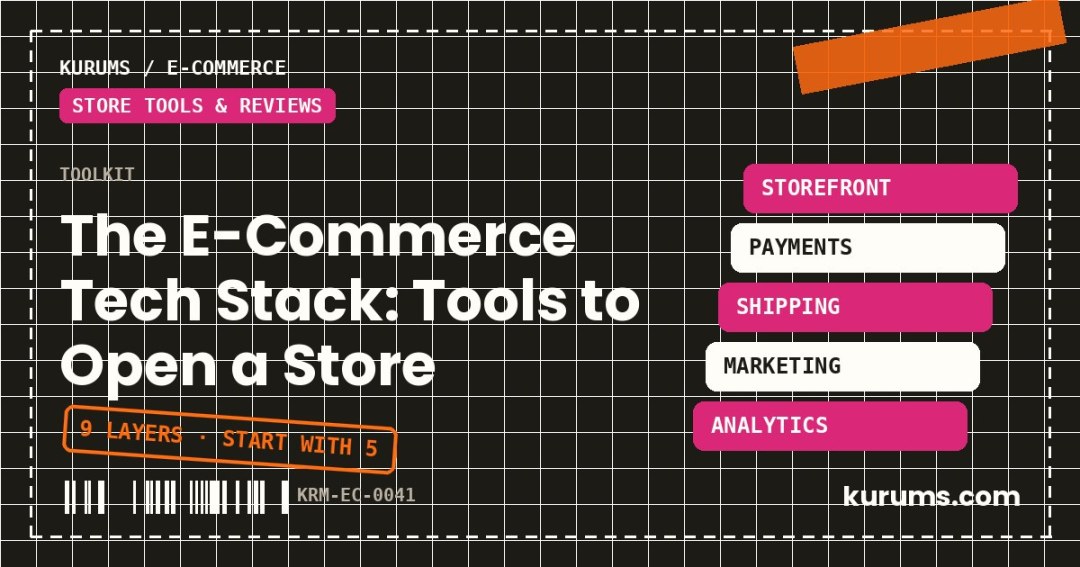
Nine layers make up a complete e-commerce stack: store platform, domain and hosting, payments, shipping and fulfilment, tax and invoicing, email and SMS, reviews and trust, analytics, and accounting with inventory. Five are needed at launch; four can wait.
| Layer | Job | Needed at launch? | Example tools |
|---|---|---|---|
| 1. Store platform | Catalogue, cart, checkout, orders | Yes | Shopify, WooCommerce, BigCommerce, PrestaShop, Squarespace |
| 2. Domain and hosting | Your address and uptime | Yes (hosting only if self-hosted) | Any registrar; managed WordPress hosts |
| 3. Payments | Take money, pay out | Yes | Stripe, PayPal, Adyen, Mollie, platform-native payments |
| 4. Shipping | Rates, labels, tracking, returns | Yes | ShipStation, Sendcloud, Shippo, Easyship, carrier accounts |
| 5. Tax and invoicing | Correct tax, legal invoices | Yes, at least basic | Platform tax engine, e-invoicing provider |
| 6. Email and SMS | Capture, recover carts, win repeat orders | Yes (simple) | Klaviyo, Mailchimp, Omnisend, Brevo |
| 7. Reviews and trust | Social proof on product pages | Soon after | Judge.me, Trustpilot, platform review apps |
| 8. Analytics | Know what works | Soon after | Google Analytics 4, Microsoft Clarity, platform reports |
| 9. Accounting and inventory | Books, stock, purchase orders | Yes (accounting) | Xero, QuickBooks, Zoho Books; inventory apps later |
Kurums does not rank these tools here and has no commercial relationship with them. Where we have a full comparison, it is linked in the relevant section.
Layer 1: how do you choose a store platform?
The platform is the system that holds your products, runs the checkout and records orders. Choose it by three criteria: how much maintenance you can do yourself, which payment and shipping providers it supports in your country, and what it costs at your expected volume including transaction fees.
There are two families.
Hosted (software as a service). You pay a subscription; the vendor runs the servers, security and updates. Shopify is the reference: Basic at US$39 a month (US$29 billed annually), Grow at US$105 (US$79) and Advanced at US$399 (US$299), with US online card rates from 2.9% plus 30 cents down to 2.5% plus 30 cents. StoreLeads counted about 3.1 million live Shopify stores in September 2026. BigCommerce, Squarespace and Ecwid sit in the same family with different strengths.
Open source or self-hosted. The software is free to license; you supply hosting and upkeep. WooCommerce, a WordPress plugin, is the largest: about 4.05 million live stores in September 2026 by StoreLeads' count. WooCommerce's own pricing page suggests US$25 to US$350 a month for hosting and US$29 to US$299 a year per paid extension. PrestaShop is widely used in continental Europe, and Adobe Commerce (Magento) at the enterprise end.
| Hosted | Self-hosted open source | |
|---|---|---|
| Upfront effort | Low | Medium to high |
| Monthly platform cost | Fixed subscription | Hosting plus extensions |
| Maintenance, security | Vendor | You or your agency |
| Design and checkout freedom | Within the platform's rules | Nearly unlimited |
| Data and portability | Exportable, platform-bound | Fully yours |
| Best for | Getting live fast; small teams | Content-led sites; custom needs; developers on hand |
The Kurums comparisons of e-commerce platforms, website builders for business and free e-commerce platforms and store builders go through the options in detail.
Layers 2 and 3: what about the domain and payments?
Buy your own domain name from a registrar and connect it, whichever platform you use. A store on a platform subdomain looks temporary and you cannot take that address with you.
Payments are the layer that most affects conversion. Three decisions:
- Provider. A platform's native payment product is the quickest to switch on and usually avoids extra platform fees. Shopify, for example, charges an additional 2%, 1% or 0.6% on the Basic, Grow and Advanced plans when you use a third-party gateway instead of its own. Independent processors such as Stripe, Adyen, PayPal and Mollie, and national ones such as iyzico in Türkiye, matter where native payments are unavailable or local methods are needed.
- Methods. Offer what your market uses: cards and wallets everywhere, bank transfer schemes in the Netherlands and Poland, instalments in Türkiye and Brazil, pay-later in Germany and the Nordics. See buy now, pay later explained.
- Cost and cash. Compare the blended rate at your average order value, payout speed, chargeback fees and reserve policies.
For provider-by-provider detail, see the Kurums comparison of payment gateways and the list of payment processing with no monthly fee.
Layer 4: how should a new store handle shipping?
Shipping software connects your orders to carriers: it fetches rates, prints labels in batches, sends tracking emails and creates return labels. A new store can begin with the platform's built-in labels or a carrier's own portal, and move to a multi-carrier tool at around a few dozen parcels a day.
What to set up first:
- A simple rate table customers see before checkout: one flat fee and a free-shipping threshold slightly above your average order value.
- Two carriers, so one failure does not stop the business.
- A returns policy and process that meets consumer law in each market you sell to.
- Packaging sized to your products; dimensional weight pricing punishes oversized boxes.
Outsourcing to a third-party logistics provider (3PL) makes sense when packing takes more of your week than selling. Compare options in the Kurums guides to shipping software and warehouse management software; for larger consignments, free freight quote tools.
Layer 5: what do tax and invoicing require?
At minimum: charge the right tax at checkout for each destination, issue invoices in the legally required form, and keep records. Platform tax engines handle rates; the obligations behind them are yours.
- EU. VAT at the customer's country rate above the €10,000 cross-border threshold, reported through the One-Stop Shop. Several countries are phasing in mandatory electronic invoicing for business transactions.
- US. Sales tax by state under economic nexus rules; marketplaces collect on their own sales, your own store is your responsibility.
- Türkiye. e-Arşiv and e-Fatura electronic invoices through an authorised integrator, and registration in ETBİS for e-commerce sellers.
A session with an accountant before launch is the cheapest tool in the stack.
Layer 6: why is email the first marketing tool to install?
Because it is the only channel you own. Paid traffic is rented and marketplace buyers belong to the marketplace. An email list turns a first order into a second at almost no cost, and it is where abandoned carts are recovered.
Start with four automations before any newsletter:
- Welcome series for new subscribers.
- Abandoned-cart reminder. Baymard's average cart abandonment is 70.22%, so this is the largest pool of near-buyers you will ever have.
- Post-purchase follow-up with care instructions and a review request.
- Win-back for customers silent for 60 to 90 days.
Collect consent properly; GDPR in Europe and KVKK in Türkiye require it. Options are compared in email marketing software and free email marketing software.
Layers 7 and 8: when do reviews and analytics matter?
Reviews matter from the first sale; analytics from the first advertising spend. Both are cheap to start and expensive to retrofit.
Reviews. Product reviews with photos lift conversion on unfamiliar brands more than almost any design change. Ask every customer, show the negative ones too, and never buy or invent reviews: fake reviews are prohibited under consumer law in the EU, UK and US, and platforms remove sellers for them.
Analytics. Install a web analytics tool and the advertising platforms' tracking with a consent banner where required. Then define the handful of numbers you will read weekly; the list is in e-commerce metrics that matter. A free session-recording tool shows where people get stuck on mobile, which no dashboard will.
Layer 9: what do accounting and inventory need?
Accounting software connected to your store and payment provider from the first order, and an inventory method that matches your size. Reconciling six months of payouts by hand is a job nobody finishes.
Small catalogues can track stock in the store platform itself. Add a dedicated inventory tool when you sell on more than one channel, hold stock in more than one place or reorder on lead times longer than a few weeks. The reasons are in e-commerce unit economics: stock is where the cash goes. See the Kurums review of accounting software for e-commerce.
In what order should you set the stack up, and what can wait?
Set up in the order money and goods flow, then add tools only when a number tells you to.
| Tool category | Add it when |
|---|---|
| Loyalty and referral | Repeat purchase rate is measurable and worth lifting: see loyalty software and referral software |
| Helpdesk | Support emails exceed what one inbox handles: see free helpdesk software |
| Personalisation, A/B testing | Traffic is high enough for tests to reach significance |
| Multichannel listing | You add a second marketplace |
| Subscription billing | Customers reorder the same item on a rhythm |
| Point of sale | You sell in person as well: see POS software |
| Headless front end | A developer team and a clear performance or design reason exist |
What should the whole stack cost?
As a working rule, keep recurring software cost, excluding payment processing, below about 5% of revenue, falling as you grow. For a store launching on a hosted platform, a realistic first-year stack is the platform subscription, a domain, an email tool on its free or entry tier, accounting software and perhaps two paid apps.
Payment processing is the larger line and scales with sales: at 2.9% plus 30 cents, a store with US$100,000 in card sales and a US$50 average order pays about US$3,500 a year. That is why the fee comparison between platforms and payment providers deserves more attention than the difference between two subscription tiers.
Before you buy anything, list what you will sell, where, and how customers there pay and receive goods. The stack follows from those answers, not the other way round. If you have not settled them, start with types of e-commerce and marketplace vs own store vs social commerce.
Frequently asked questions
What is the best platform to start an online store?
There is no single best. Hosted platforms such as Shopify suit sellers who want to launch quickly with little maintenance. WooCommerce suits those who already run WordPress or want full control. Decide on payment and shipping support in your country and total cost at your volume.
How much does it cost to set up an online store?
A basic hosted store can launch for the platform subscription (Shopify Basic is US$39 a month, or US$29 billed annually), a domain and optional apps. Payment processing, typically around 2.9% plus 30 cents per US card order, is the main variable cost.
Do I need a developer?
Not to launch on a hosted platform with a standard theme. You will want one for custom design, complex integrations or a self-hosted store that needs maintenance and security updates.
Which tools can wait until later?
Loyalty programmes, personalisation, A/B testing, subscription billing and headless front ends. Add them when order volume and a specific metric justify the cost.
Keep reading in the E-Commerce pillar
- Shopify — Pricing
- Shero Commerce — Shopify pricing 2026 (checked against shopify.com/pricing on 1 Oct 2026)
- WooCommerce — Pricing
- eSEOspace — How much does WooCommerce cost? (WooCommerce pricing page ranges, Oct 2026)
- Colorlib — WooCommerce statistics 2026 (StoreLeads, Metorik)
- Baymard Institute — cart abandonment rate statistics
Prices, fees and market figures were checked in November 2026 and change often; confirm on the provider’s own page before you commit. Kurums has no paid relationship with the companies named here.
Discover more from Kurums | Business Intelligence
Subscribe to get the latest posts sent to your email.