
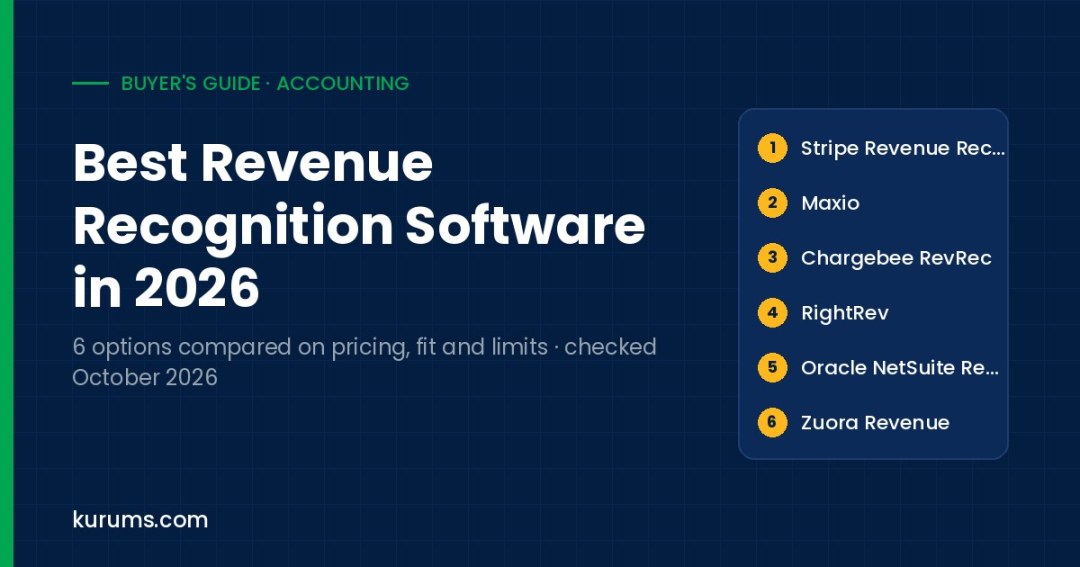
Buyer's guide · Accounting
We compared six ASC 606 and IFRS 15 revenue recognition tools on published pricing, trial access, recognition logic, data integrations, reporting and audit trails, and the main limitation a finance team should test.
- Stripe-billed startups: Stripe Revenue Recognition — Starts at $25 per month plus 0.25% of volume and offers a 30-day free trial for new users.
- Growing B2B SaaS: Maxio — Grow plan lists from $599 per month for up to $100k in monthly billings, with billing and revenue in one system.
- Multi-system subscription teams: Chargebee RevRec — Connects directly to Chargebee, Stripe, NetSuite, Sage Intacct, QuickBooks and Xero as a revenue subledger.
- NetSuite customers: Oracle NetSuite Revenue Management — Runs inside NetSuite with revenue arrangements, SSP formulas and prospective or retrospective reallocation.
- Large enterprises: Zuora Revenue — Automates the five ASC 606 steps with pre-built Salesforce, SAP, NetSuite and Workday connectors and 60+ reports.
Revenue recognition software turns contracts, invoices and usage data into revenue schedules and journal entries that follow ASC 606 in the United States and IFRS 15 elsewhere. Both standards use the same five-step model: identify the contract, identify performance obligations, set the transaction price, allocate it using standalone selling prices, and recognize revenue as each obligation is satisfied. Spreadsheets break down once you have bundles, mid-term upgrades, usage charges, ramps or multi-year deals, because every change can force a reallocation. Buyers are usually controllers, revenue accountants and CFOs at subscription, SaaS, AI and usage-based businesses, along with companies preparing for an audit, a financing round or an IPO where deferred revenue must be defensible line by line.
We scored each product on the same six fields: published pricing, free plan or trial, standards and recognition logic, data sources and integrations, reporting and audit trail, and the main limitation. Products are listed in practical buyer order, from self-serve tools with published prices to quote-led enterprise platforms. The order is not a quality ranking. Prices, plans and trials were checked on official vendor pages on 12 October 2026, in US dollars unless stated. Where a vendor does not publish a price we say Quote-based rather than repeat third-party estimates.
Revenue Recognition Software compared at a glance
| Platform | Pricing | Best for | Link |
|---|---|---|---|
| 1. Stripe Revenue Recognition | From $25/mo plus 0.25% of volume up to $10k/mo; annual tiers from $190/mo | Companies already billing on Stripe | Site → |
| 2. Maxio | Grow from $599/mo (up to $100k monthly billings); Scale quote-based | B2B SaaS billing plus revenue | Site → |
| 3. Chargebee RevRec | Quote-based; Performance and Enterprise tiers via demo | Subledgers across several billing tools | Site → |
| 4. RightRev | Quote-based; demo required | Salesforce-led complex contract revenue | Site → |
| 5. Oracle NetSuite Revenue Management | Quote-based add-on: annual license plus one-time implementation fee | Companies standardized on NetSuite ERP | Site → |
| 6. Zuora Revenue | Quote-based; enterprise contracts through Zuora sales | High-volume enterprise revenue operations | Site → |
Pricing checked 12 October 2026 on each vendor's official pricing or product pages. Prices are list prices in USD unless stated; "Quote-based" means the vendor does not publish a price. Order follows buyer fit and pricing transparency, not a quality score. Confirm billing basis, minimums and taxes with the vendor before you buy. Methodology is described below.
The 6 options in detail
Stripe Revenue Recognition
Best for companies already billing on StripeBest for: Startups and SMBs that run subscriptions and payments on Stripe and want accrual revenue reports without a separate subledger project.
| Attribute | Stripe Revenue Recognition |
|---|---|
| Published pricing | Yes: $25 per month plus 0.25% up to $10,000 monthly volume; annual plans from $190 per month plus 0.2% |
| Free plan or trial | 30-day free trial for new users; no free plan |
| Standards and recognition logic | Designed for ASC 606 and IFRS 15; custom rules for performance obligations and SSP for bundles |
| Data sources and integrations | Stripe Billing and Payments data natively; CSV import for other transactions; App Store and Google Play sync |
| Reporting and audit trail | Trial balance, journal entries, balance sheet, income statement, revenue waterfall, AR aging; trace to invoice |
| Main limitation | Built around Stripe data; non-Stripe revenue depends on CSV imports |
- Stripe transactions, prorations, refunds and disputes are converted into journal entries automatically, which removes most manual deferral work for Stripe-billed revenue.
- Published tiered pricing and a 30-day trial let you test on real data before signing an annual plan.
- If a large share of revenue is billed outside Stripe, you will be maintaining CSV imports, and complex enterprise contracts may need a dedicated subledger.
Our take: Stripe Revenue Recognition is the lowest-friction starting point on this page if Stripe is already your billing system. It reads subscriptions, invoices and payments directly, applies recognition rules you configure, and produces a trial balance, income statement and revenue waterfall you can export to your general ledger. Pricing is published: a monthly plan at $25 plus 0.25% of volume up to $10,000 a month, and annual plans billed monthly from $190 plus 0.2% for up to $100,000 a month. In a trial, load a month with upgrades, refunds and a bundle, then compare the deferred revenue balance with your spreadsheet. Check how SSP is set for bundles and how imported CSV revenue appears in reports. Compared with Maxio or Chargebee RevRec it is narrower, because it is designed around Stripe data, but it is also the quickest to switch on. Companies with sales-led, multi-element contracts in a CRM will usually outgrow it and move toward RightRev, NetSuite or Zuora.
Maxio
Best for B2B SaaS billing plus revenueBest for: Growing B2B SaaS and AI companies that want subscription billing, revenue schedules and SaaS metrics in one platform.
| Attribute | Maxio |
|---|---|
| Published pricing | Yes: Grow from $599 per month for up to $100k monthly billings; Scale is quote-based; default agreements paid annually |
| Free plan or trial | No free trial listed; demo on request |
| Standards and recognition logic | ASC 606 and IFRS 15; multiple revenue books, performance obligations, carve-outs and reallocation |
| Data sources and integrations | QuickBooks, Oracle NetSuite and Sage Intacct GL sync; Salesforce CRM and Stripe gateway per FAQ |
| Reporting and audit trail | Revenue schedules, waterfalls, ARR, roll-forwards and DSO; schedule edits keep original data for comparison |
| Main limitation | Revenue recognition is standard on Grow and advanced only on the quote-based Scale plan |
- Recognition schedules can be adjusted by customer, contract or transaction without overwriting the original data, so you can compare before and after states for audit.
- Billing, revenue and SaaS metrics such as ARR and DSO live together, which suits finance teams that also own subscription reporting.
- Advanced revenue recognition sits on the Scale plan, which is quote-based, so complex contracts may push you above the published $599 entry price.
Our take: Maxio combines subscription billing with a revenue engine, which means invoices and recognition schedules come from the same source records. That matters for SaaS teams that are tired of reconciling a billing tool against a separate rev rec spreadsheet. The Grow plan is listed from $599 per month for businesses with up to $100k in monthly billings, with annual agreements as the default; above that, Scale is quote-based and carries advanced revenue recognition. In a demo, ask to see a mid-term upgrade with a carve-out, a multi-year ramp, and how the revenue book handles a contract modification. Confirm which features you need sit on Grow versus Scale. Compared with Stripe Revenue Recognition, Maxio is less tied to one payment processor and adds SaaS metrics. Compared with Chargebee RevRec, it is more of an all-in-one billing and revenue system, while Chargebee RevRec is positioned as a subledger that can sit on several billing sources.
Chargebee RevRec
Best for subledgers across several billing toolsBest for: Subscription and SaaS finance teams that need a revenue subledger fed by Chargebee, Stripe or a CRM and posting to NetSuite, Sage Intacct, QuickBooks or Xero.
| Attribute | Chargebee RevRec |
|---|---|
| Published pricing | No: Performance and Enterprise tiers are quote-based; marked as a paid add-on on Billing plans |
| Free plan or trial | No free plan or trial for RevRec listed |
| Standards and recognition logic | ASC 606 and IFRS 15 five-step model; SSP library tied to the price book; ramps, amendments and credits |
| Data sources and integrations | Direct integrations with Chargebee, Stripe, NetSuite, Sage Intacct, QuickBooks and Xero on a 24-hour sync; REST API |
| Reporting and audit trail | Subledger with period locking, one summarized journal entry per period, waterfalls and contract-to-JE trace |
| Main limitation | Pricing page lists the Performance tier as available only to Chargebee Billing customers |
- Direct connectors to both Chargebee and Stripe billing plus NetSuite, Sage Intacct, QuickBooks and Xero let it act as a subledger between billing and the GL.
- Posting one summarized journal entry per period keeps the general ledger clean while detail stays traceable in the subledger.
- No published price, and the pricing page ties the lower Performance tier to Chargebee Billing, so non-Chargebee billers should confirm which tier applies.
Our take: Chargebee RevRec works as a revenue subledger: it pulls contract and billing data, allocates transaction price through an SSP library linked to your price book, tracks schedules and posts a summarized journal entry to your ledger each period. The product page lists direct integrations with Chargebee, Stripe, NetSuite, Sage Intacct, QuickBooks and Xero on a 24-hour sync, and a REST API for other sources. That makes it a practical fit for teams whose billing and accounting are split across tools. Pricing is not published; the Performance tier is shown as available to Chargebee Billing customers and Enterprise adds multi-entity support and advanced rules. In a demo, test a multi-year ramp, a downgrade mid-term and a usage true-up, and check how the 24-hour sync affects your close calendar. Compared with Maxio it is more modular, and compared with RightRev it is more focused on subscription businesses than on sales-led enterprise contracts.
RightRev
Best for Salesforce-led complex contract revenueBest for: Mid-market and enterprise finance teams with Salesforce-driven, multi-element or usage-based contracts who want an ERP-agnostic revenue subledger.
| Attribute | RightRev |
|---|---|
| Published pricing | No: quote-based through a demo request |
| Free plan or trial | No free plan or trial listed |
| Standards and recognition logic | ASC 606 and IFRS 15; ratable or point-in-time per obligation; SSP engine with outcome testing before deployment |
| Data sources and integrations | Native Salesforce including RCA and RCB, plus Stripe and Nue integrations; ERP-agnostic GL posting via API |
| Reporting and audit trail | Every figure traceable to its allocation rule; revenue waterfalls with variance analysis |
| Main limitation | Public pages do not name a NetSuite connector, so confirm your ERP integration path |
- An SSP engine lets you test allocation outcomes before deploying a rule change, which reduces surprises at quarter end.
- Handles amendments, cancellations, renewals and expansions with automatic reallocation across subscriptions, usage, credits and milestones.
- There is no published pricing or trial, and ERP connectivity is described generically, so integration scope needs to be pinned down early.
Our take: RightRev is a dedicated revenue subledger that sits beside your ERP and posts journal entries to it daily or by period. It is designed for contracts that are hard to model in a billing tool: bundles, multi-element arrangements, credits, milestones, commitments and hybrid usage deals. Its Revi AI tools assist with SSP and bundle allocation, and the SSP engine lets you test outcomes before a rule goes live. The strongest stated integration is native Salesforce, including Revenue Cloud, with Stripe and Nue also listed. Pricing is quote-based. In a demo, bring a real amended contract and ask the team to show the allocation trail from the Salesforce quote to the journal entry, then confirm how entries reach your specific ERP. Compared with Chargebee RevRec, RightRev leans toward sales-led enterprise contracts. Compared with Zuora Revenue, it is a lighter subledger that does not require a Zuora billing stack.
Oracle NetSuite Revenue Management
Best for companies standardized on NetSuite ERPBest for: Mid-market companies already running NetSuite that want revenue arrangements, SSP allocation and deferred revenue inside the ERP rather than in a separate tool.
| Attribute | Oracle NetSuite Revenue Management |
|---|---|
| Published pricing | No: add-on module priced as an annual license by platform, modules and users, plus an implementation fee |
| Free plan or trial | No free trial; demo and quote |
| Standards and recognition logic | ASC 606 and IFRS 15 rules; revenue arrangements; constant or formula SSP; prospective or retrospective reallocation |
| Data sources and integrations | Native to NetSuite; contracts, billing, projects and GL share one database |
| Reporting and audit trail | Deferred revenue and contract asset balances update automatically; forecast plans generated per contract |
| Main limitation | Requires NetSuite as your ERP; not usable as a standalone subledger |
- Supports subscription, fulfillment, project completion and time-and-materials recognition models on the same revenue plan framework.
- Catch-up and claw-back adjustments land in the period of change, and bulk plan edits help when a policy update affects many contracts.
- It only makes sense if NetSuite is your ERP, and the module adds license and implementation cost on top of the core platform.
Our take: NetSuite Revenue Management, often called Advanced Revenue Management, keeps revenue recognition inside the ERP. You define recognition rules per item, link them to contract lines, set standalone selling prices with a constant or a formula, and let the system allocate and reallocate as contracts are added, changed or cancelled. Deferred revenue and contract asset balances adjust automatically from billings and recognized revenue, and forecast plans are generated per contract. NetSuite describes it as an add-on module with an annual license and a one-time implementation fee, so expect a quote. In a demo, test a contract modification with retrospective reallocation, and see how the revenue plan handles project milestones if you sell services. Compared with Chargebee RevRec or RightRev, you avoid a sync between subledger and GL, but you give up flexibility if you ever leave NetSuite. Sage Intacct offers a similar ERP-native module for its own customers.
Zuora Revenue
Best for high-volume enterprise revenue operationsBest for: Large and public companies with high transaction volumes, multiple billing sources and SOX requirements that need a full revenue automation platform.
| Attribute | Zuora Revenue |
|---|---|
| Published pricing | No: quote-based through Zuora sales |
| Free plan or trial | No free plan or trial listed |
| Standards and recognition logic | Automates the five ASC 606 steps, aligned with IFRS 15; AI-assisted SSP analysis; grouping and contract matching |
| Data sources and integrations | Pre-built connectors for Salesforce, SAP, NetSuite and Workday; APIs and SDK; works with Zuora Billing |
| Reporting and audit trail | 60+ prebuilt reports, close dashboard, automated trial balance, SOX-oriented controls and audit trails |
| Main limitation | Enterprise scope and implementation effort exceed what a single-billing-system company needs |
- Pre-built connectors for Salesforce, SAP, NetSuite and Workday support mixed billing and ERP landscapes typical of large groups.
- Disclosure-ready reporting with more than 60 prebuilt reports and dashboards supports public-company close and audit.
- Pricing is not published and implementation is an enterprise project, which makes it heavy for companies with simple subscription revenue.
Our take: Zuora Revenue is built for revenue accounting at enterprise scale. It automates the five ASC 606 steps, uses grouping rules and contract matching to assemble revenue contracts from several systems, and offers AI-assisted SSP modeling. A close dashboard, automated trial balances and more than 60 prebuilt reports support continuous accounting and disclosure work, with SOX-oriented controls and role-based security. It integrates with Zuora Billing and with Salesforce, SAP, NetSuite and Workday through pre-built connectors and APIs. Zuora has been privately held since Silver Lake and GIC completed their acquisition in February 2025. Pricing is quote-based. In evaluation, ask for a reference customer with your ERP and volume, and review how SSP analysis and contract grouping are configured during implementation. Compared with RightRev, Zuora is broader and more established in large enterprises; compared with NetSuite, it can consolidate revenue from multiple ERPs and billing systems.
How to choose revenue recognition software
Match the tool to your contract complexity
Start by listing your hardest contracts: bundles with services, mid-term upgrades, usage overages, ramps, credits and multi-year deals. If most revenue is self-serve subscriptions billed on one platform, a billing-native tool such as Stripe Revenue Recognition or Maxio may cover it. If sales-led contracts carry several performance obligations and frequent amendments, look at a dedicated subledger such as RightRev, Chargebee RevRec or Zuora Revenue. Ask each vendor to process three of your real contracts live in a demo rather than relying on a generic walkthrough.
Check SSP and allocation controls
Standalone selling price is where most audit questions start. Confirm whether SSP can be set as a fixed value, a range or a formula, whether it can vary by region or segment, and whether you can test a change before it affects posted periods. RightRev and Zuora both describe SSP analysis tools, and NetSuite supports constant or formula-based SSP. Ask how the system records who changed an SSP rule and when, because auditors will want that history alongside the allocation results.
Map the data flow from CRM to ledger
Draw the path from quote or order to invoice, to revenue schedule, to journal entry. Each hop is a potential reconciliation break. Check which systems have native connectors, how often they sync, and what happens when a record fails to load. Chargebee RevRec, for example, lists a 24-hour sync cycle, which may matter on day one of close. Tools inside the ERP, such as NetSuite Revenue Management, avoid the sync but require that ERP. Confirm whether journal entries post in detail or in summary.
Test contract modifications and reallocation
ASC 606 and IFRS 15 treat contract changes either as separate contracts or as modifications that trigger prospective or cumulative catch-up adjustments. Ask the vendor to show both outcomes and to explain how the system decides. Look at how prior period results are protected through period locks, and how catch-up entries are labeled. Maxio keeps original schedules for comparison, and NetSuite posts catch-up and claw-back adjustments in the period of change. A weak modification engine is the most common reason teams fall back to spreadsheets.
Plan for audit, disclosure and close speed
Your auditors will ask for deferred revenue roll-forwards, remaining performance obligations, contract balances and a trail from each journal entry back to source contracts. Ask for sample reports and check whether they can be produced without manual adjustment. Confirm SOC reports for the vendor, user permissions, and how long it takes to close a period. If you are heading toward an IPO, involve your audit firm in the selection, since some tools are already familiar to auditors and that can shorten testing.
How revenue recognition software pricing works
Pricing in this category follows three patterns. Billing-native tools often charge a platform fee plus a share of volume: Stripe Revenue Recognition lists $25 per month plus 0.25% of volume on its monthly plan and annual tiers from $190 per month plus 0.2%. Subscription platforms such as Maxio price by billing volume bands, with the Grow plan listed from $599 per month for up to $100k in monthly billings and annual agreements as the default. Dedicated subledgers and enterprise suites, including Chargebee RevRec, RightRev and Zuora Revenue, are quote-based and usually priced on revenue, transaction volume, entities and modules.
ERP-native modules add another layer. NetSuite describes Revenue Management as an add-on module with an annual license based on the core platform, optional modules and users, plus a one-time implementation fee. Sage Intacct likewise sells revenue recognition as a module on its core financials. When comparing quotes, separate the subscription fee from implementation, data migration, historical contract conversion and any partner services. Implementation can be a material share of first-year cost for complex contract portfolios, and it often depends on how clean your CRM and billing data are before you start.
Before you sign, ask how pricing changes as billing volume grows, whether additional entities or currencies cost extra, and what happens to price at renewal. Confirm whether sandbox environments, API access and premium support are included. Prices quoted here were checked on official pages on 12 October 2026 and can change, so request a written quote with the exact volume assumptions.
Kurums Match: which one fits you?
Pick the situation closest to yours. Each answer jumps to the matching card above.
I bill everything through Stripe and need clean deferred revenueSeed to Series B SaaS
Stripe Revenue Recognition → Stripe Revenue Recognition reads your Stripe data directly and has a 30-day trial, so you can validate schedules before paying.
I need billing and ASC 606 schedules in one platformB2B SaaS, under $100k MRR
Maxio → Maxio's Grow plan bundles billing and revenue recognition with SaaS metrics from a published starting price.
My billing and GL are in different systemsStripe or Chargebee plus NetSuite
Chargebee RevRec → Chargebee RevRec acts as a subledger with direct connectors on both sides and posts summarized entries to the GL.
Our contracts come from Salesforce and change oftenSales-led, multi-element deals
RightRev → RightRev is native to Salesforce and reallocates revenue automatically on amendments, renewals and expansions.
We run a global, high-volume revenue operationPublic or pre-IPO enterprise
Zuora Revenue → Zuora Revenue combines contract grouping, SSP analysis and 60+ reports with connectors for SAP, Salesforce, NetSuite and Workday.
Buying tip
Before any demo, send the vendor three anonymized contracts that caused trouble in your last audit and ask them to process those live. How each tool handles your real edge cases is a better signal than a feature list. This article is informational and not accounting or financial advice.
Revenue Recognition Software: frequently asked questions
What is the difference between ASC 606 and IFRS 15?
ASC 606 is the US GAAP revenue standard and IFRS 15 is the international equivalent. They were developed jointly and share the same five-step model, so most revenue recognition software supports both. Differences remain in areas such as some practical expedients, licensing and certain disclosure requirements. If you report under both, check whether the tool supports dual books or parallel treatment. This is general information and not accounting advice; confirm specific treatments with your auditor.
Do I need separate revenue recognition software if my ERP has a module?
Not always. If your ERP is NetSuite or Sage Intacct and most contracts originate there, the native module avoids a sync and keeps one source of truth. A separate subledger such as Chargebee RevRec, RightRev or Zuora Revenue makes more sense when contracts come from several billing systems or a CRM, when you have multiple ERPs, or when contract modifications are frequent and complex enough to strain the ERP module.
How much does revenue recognition software cost?
Published entry points on this page range from $25 per month plus 0.25% of volume for Stripe Revenue Recognition to $599 per month for Maxio's Grow plan. Chargebee RevRec, RightRev, NetSuite Revenue Management and Zuora Revenue are quote-based. Expect enterprise contracts to be priced on revenue or transaction volume, entities and modules, with implementation billed separately. Prices were checked on 12 October 2026.
Can revenue recognition software handle usage-based pricing?
Most tools on this page say they support usage-based or hybrid models. Stripe lists more than 15 pricing models, Chargebee RevRec covers variable and credit-based models, RightRev lists usage, credits and AI outcomes, and Zuora covers usage and hybrid revenue. The practical question is how usage data arrives and how true-ups are allocated, so test with a real month of usage records during a trial or demo.
How long does implementation take?
It depends on contract complexity and data quality more than on the tool. Billing-native tools can be switched on quickly because the data already exists. Subledgers and enterprise platforms need SSP policies, recognition rules, historical contract migration and GL mapping, which often takes weeks to months. Ask vendors for a scoped plan with milestones, and clarify whether historical contracts will be converted or only new ones from a cutover date.
What reports will auditors ask for from these tools?
Auditors commonly request deferred revenue roll-forwards, revenue waterfalls, remaining performance obligation schedules, contract asset and liability balances, and a trail from journal entries to source contracts and SSP rules. Confirm that the tool produces these without manual edits and that changes to rules and schedules are logged with user and timestamp. This article is informational and not audit or accounting advice.
Related comparisons
Last updated 13 October 2026 · Pricing checked 12 October 2026.
Disclosure: Kurums is reader-supported through advertising. We currently have no affiliate, sponsorship or partnership relationship with any product compared on this page; if that changes, this page will say so and affected links will carry sponsored attributes.
Discover more from Kurums | Business Intelligence
Subscribe to get the latest posts sent to your email.