Buyer's guide · Marketing
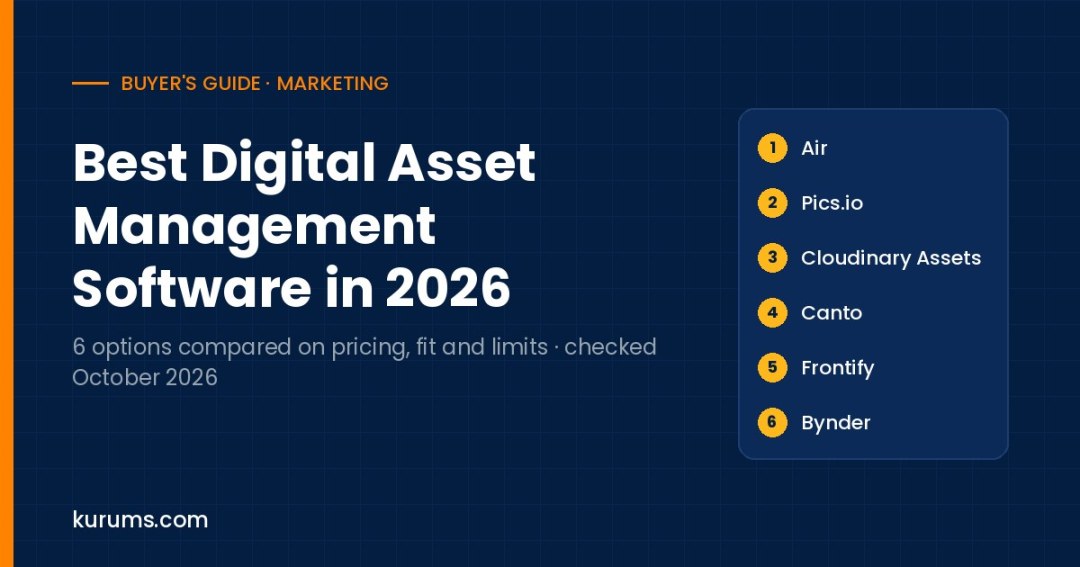
We compared six digital asset management platforms on published pricing, free plans and trials, AI search and tagging, storage model, sharing and brand portals, and the main limitation a buyer should check first.
- Small creative team: Air — Free plan with no time limit and unlimited seats on every plan; Starter is listed by Air at $25 a month billed annually.
- Team keeping files in its own cloud: Pics.io — Runs on top of your Google Drive or Amazon S3, with published plans from $100 a month and a 7-day trial.
- Web and ecommerce teams: Cloudinary Assets — DAM tied to image and video delivery APIs, with a 30-day Assets trial covering 3 users and 25 GB.
- Marketing team wanting a guided rollout: Canto — Packaged DAM tiers from core library to product content, with a seven-day free trial.
- Enterprise brand and content operations: Bynder — Modular packages with SSO, rights management and 160+ integrations included in a custom quote.
Digital asset management software is the system of record for a company's approved creative files: logos, product photos, videos, campaign artwork, sales decks and brand guidelines. Instead of hunting through shared drives and chat threads, teams upload files once, tag them with metadata, control who can use them and for how long, and share approved versions through links or branded portals. Modern DAM tools add AI tagging, natural-language search, version control, review workflows and integrations with design tools, CMS platforms and ecommerce stores. Buyers range from a five-person content team that wants searchable storage, to global brands that must enforce usage rights across agencies, regions and retail partners. The right choice depends on library size, the number of external users, and whether you need publishing and rendition delivery as well as storage.
We assessed each product on six fields: published pricing, free plan or trial, AI search and tagging, storage model, sharing and brand portals, and the main limitation. Products appear in practical buyer order, starting with self-serve tools that publish prices and ending with quote-led enterprise suites; the order is not a quality ranking. Prices and plan details were checked on each vendor's official pricing, product or help pages on 12 October 2026. Where a vendor does not publish prices we say quote-based rather than repeat third-party estimates. Plans change often, so confirm current terms with the vendor before you sign.
Digital Asset Management Software compared at a glance
| Platform | Pricing | Best for | Link |
|---|---|---|---|
| 1. Air | Free plan; Starter $25/mo, Business $900/mo billed annually (per Air); Enterprise custom | Small creative teams | Site → |
| 2. Pics.io | Solo $100/mo; Micro $250/mo or $225/mo annual; Small $800/mo; Enterprise custom | Teams using their own cloud | Site → |
| 3. Cloudinary Assets | Assets: 30-day free trial, then Enterprise custom pricing | Web and ecommerce delivery | Site → |
| 4. Canto | Quote-based; four packaged tiers, pricing scales with team size and storage | Packaged mid-market rollouts | Site → |
| 5. Frontify | Quote-based; priced on monthly active users (MAU) | Brand guideline programs | Site → |
| 6. Bynder | Quote-based; modular packages built around the core DAM | Enterprise content operations | Site → |
Pricing checked 12 October 2026 on each vendor's official pricing or product pages. Prices are list prices in USD unless stated; "Quote-based" means the vendor does not publish a price. Order follows buyer fit and pricing transparency, not a quality score. Confirm billing basis, minimums and taxes with the vendor before you buy. Methodology is described below.
The 6 options in detail
Air
Best for small creative teamsBest for: Creative and social teams that want a modern, visual asset library with unlimited seats and a free entry point.
| Attribute | Air |
|---|---|
| Published pricing | Free; Starter $25 a month and Business $900 a month billed annually, per Air's own pricing article; Enterprise custom |
| Free plan or trial | Free plan with 120 monthly credits, no time limit and no credit card required |
| AI search and tagging | Conversational search, image, video and document intelligence, facial and color recognition, OCR |
| Storage model | Credit-based: credits cover storage, image editing and video creation; credits reset monthly and do not roll over |
| Sharing and brand portals | Share links with passcodes, expiration and gating; CDN links; Figma, Canva, Slack and Shopify integrations |
| Main limitation | Credit model makes storage cost harder to forecast than a fixed TB allowance |
- Air states that every plan includes unlimited seats, so adding freelancers or reviewers does not raise the bill per user.
- The free plan includes full feature access with about 20 GB of enriched storage, which is enough to test search and sharing on real files.
- Usage is measured in credits rather than gigabytes, and unused credits expire each billing cycle, so heavy video libraries need careful sizing.
Our take: Air feels closer to a visual workspace than a traditional DAM. You drag in files, the platform enriches them with AI metadata, and teammates find assets with conversational search or by face, color and text inside images. Version stacking, commenting and share links with passcodes cover the day-to-day needs of a social or brand team. The pricing logic is the part to study: plans are priced on credits that pay for storage plus AI editing and video generation, and the Starter tier at $25 a month billed annually includes 600 credits with add-ons available. In a trial, upload a representative month of content, including video, and watch how fast credits are consumed. Compared with Pics.io, Air is easier to start but less suited to teams that want files to stay in their own cloud storage. Compared with Bynder or Frontify, it lacks the rights governance and multi-brand controls that large enterprises expect, though Enterprise adds SSO and custom permissions.
Pics.io
Best for teams using their own cloudBest for: Small and mid-size teams that want DAM features on top of Google Drive or Amazon S3 with transparent plan prices.
| Attribute | Pics.io |
|---|---|
| Published pricing | Solo $100/month (monthly only); Micro $250/month or $225/month billed annually; Small $800/month or $680/month annually |
| Free plan or trial | 7-day free trial on Solo and Micro, no credit card required |
| AI search and tagging | AI kit add-on from $50/month: auto-tagging, face recognition, OCR, speech-to-text, natural-language search |
| Storage model | Bring your own storage (Google Drive or Amazon S3) or Pics.io storage from 100 GB on Solo |
| Sharing and brand portals | Sharing portals, upload inbox and branding from Micro and Small; watermarking and API on Small |
| Main limitation | AI features cost extra on every plan, and the Solo plan excludes the AI toolkit |
- Pics.io can run directly on a connected Google Drive or Amazon S3 account, which reduces migration effort and keeps files in storage you already control.
- Published per-plan prices, user counts and storage allowances make budgeting easier than with quote-only vendors.
- AI tagging and search are paid add-ons priced by asset count or minutes, so the full feature set costs more than the headline plan price.
Our take: Pics.io is a practical middle ground for teams that have outgrown shared drives but do not want a large enterprise project. You can connect an existing Google Drive or Amazon S3 bucket, keep your folder structure, and add metadata, version control, review comments, rights expiry and upload inboxes on top. The Micro plan at $250 a month, or $225 a month on annual billing, covers 10 or more users and adds portals, custom fields and roles, which is where most marketing teams will land. Check the AI kit pricing early: image intelligence starts at $50 a month for 3,000 assets and scales by volume. In the 7-day trial, test search across a realistic library and confirm how links behave when you upload a new version. Compared with Air, Pics.io gives more control over storage location; compared with Canto or Bynder, it is lighter on enterprise governance and implementation support.
Cloudinary Assets
Best for web and ecommerce deliveryBest for: Digital, ecommerce and product teams that need a DAM connected to automated image and video transformation and delivery.
| Attribute | Cloudinary Assets |
|---|---|
| Published pricing | Cloudinary Assets Enterprise is custom-priced; the separate Programmable Media APIs list Plus at $89/month billed yearly |
| Free plan or trial | 30-day Assets trial with 3 users, 1 account and 25 GB; Programmable Media has a free plan |
| AI search and tagging | AI auto-tagging, Taxonomy Agent, natural-language and image-based search in multiple languages |
| Storage model | Cloud-hosted with credit-based storage and bandwidth on API plans; CDN delivery built in |
| Sharing and brand portals | Branded portals for internal and external users with portal analytics; 25+ SDKs and CMS, PIM and commerce connectors |
| Main limitation | The DAM product moves to a sales-led Enterprise contract once the trial ends |
- Assets are delivered in the right size, crop and format automatically, which links DAM work directly to page speed on websites and stores.
- Generative tools such as generative fill, object removal and content-aware cropping create channel variants without a designer.
- There is no self-serve paid DAM tier, so smaller teams that like the trial must negotiate an Enterprise agreement.
Our take: Cloudinary started as an image and video API and its Assets product extends that into a full DAM, which makes it a strong fit when the same files feed a website, app or online store. Marketers get portals, AI tagging and search; developers get transformation URLs, SDKs and CDN delivery from the same library. In practice, a product photo uploaded once can be cropped for mobile, resized for a marketplace and compressed for web performance without manual exports. The 30-day trial includes 3 users and 25 GB, which is enough to wire up one CMS or commerce integration and test the delivery path end to end. Ask in a demo how credits, bandwidth and transformations are counted in the Enterprise contract. Compared with Canto or Frontify, Cloudinary is more technical and delivery-focused; compared with Bynder, it has a lighter brand guideline layer but deeper media processing.
Canto
Best for packaged mid-market rolloutsBest for: Marketing teams in mid-size companies that want clear packaged tiers, a short trial and help moving from shared drives.
| Attribute | Canto |
|---|---|
| Published pricing | Quote-based; Core Essentials, Enhanced Collaboration, Omni Brand Solution and Advanced tiers with no published prices |
| Free plan or trial | Seven-day free trial with full access |
| AI search and tagging | AI search and organization from the DAM PLUS tier; AI tagging in the Advanced tier |
| Storage model | Cloud-hosted; storage allowance scales with the package and is set in the quote |
| Sharing and brand portals | Customizable brand portals for internal and external partners, proofing and brand templates in DAM PLUS |
| Main limitation | Prices are not published and the vendor calls its packages illustrative |
- A product-content tier combines DAM with product data and retailer-specific catalogs, useful for brands that sell through retail partners.
- Review and approval with proofing and brand templates are packaged in a named tier rather than sold as separate modules.
- You cannot compare the cost of tiers without a sales call, and the page notes that packages shown are illustrative.
Our take: Canto is a long-standing DAM that packages its features into four tiers: a core library with search and security, a collaboration tier with proofing, templates and AI search, a product-content tier that adds product data and retailer catalogs, and an advanced tier with dedicated onboarding and ERP or CRM integrations. That packaging makes it easier to understand what you are buying than a fully modular suite, even though prices come only through a quote. The seven-day trial is short, so prepare a test folder, a metadata scheme and two or three sharing scenarios before you start. In a demo, ask how storage limits are set, what onboarding includes and how portal access is licensed for agencies. Compared with Air and Pics.io, Canto offers more structured onboarding; compared with Bynder or Frontify, it is simpler to scope but has fewer workflow and brand-guideline modules.
Frontify
Best for brand guideline programsBest for: Brand teams that need guidelines, assets and templates in one portal used by many internal and external contributors.
| Attribute | Frontify |
|---|---|
| Published pricing | Quote-based; tailored package priced on monthly active users rather than licensed seats |
| Free plan or trial | No free trial listed; demo on request |
| AI search and tagging | AI listed as built-in intelligence; Frontify also publishes an MCP repository on GitHub |
| Storage model | Cloud-hosted brand platform; storage terms set in the package |
| Sharing and brand portals | Brand guidelines, DAM and templates in one portal; SSO, custom permissions, localization and multi-brand tools |
| Main limitation | MAU pricing needs careful estimation if many partners log in occasionally |
- You pay for people who log in at least once a month, and people who only view the space without logging in are not counted.
- Billing uses six-month averages of usage, so a short campaign spike does not change the price immediately.
- Every external partner who logs in counts as a monthly active user, so agency-heavy programs need a realistic usage estimate before signing.
Our take: Frontify is built around the brand portal: guidelines, logos, templates and the asset library live in one place that employees, agencies and partners can browse. That makes it a good fit when the main problem is brand consistency across many markets rather than pure file storage. The MAU pricing model is distinctive. Frontify estimates your monthly active users from industry averages and your team structure, reviews the figure yearly and smooths spikes with six-month averages. Before signing, list who will actually log in each month, including freelancers, and ask how view-only access works for large audiences. In a demo, test template editing for non-designers and the approval workflow. Compared with Bynder, Frontify leans more toward guidelines and brand templates; compared with Cloudinary, it is less focused on web delivery. Smaller teams will find Air or Pics.io faster to adopt.
Bynder
Best for enterprise content operationsBest for: Large brands that need governed asset libraries, workflow and integrations across many teams, regions and tools.
| Attribute | Bynder |
|---|---|
| Published pricing | Quote-based; price depends on users, storage, integrations, modules and support level |
| Free plan or trial | No free trial listed; free consultation and tailored demo |
| AI search and tagging | Bynder AI module for AI search and metadata enrichment |
| Storage model | Cloud-hosted; storage volume is one of the pricing factors |
| Sharing and brand portals | Rights management, SSO, custom URL and 24/7 support in all packages; 160+ integrations in the marketplace |
| Main limitation | Modular structure means a complete setup can require several add-on modules |
- Single sign-on, rights management, onboarding and 24/7 support are listed as included in every package.
- Optional modules cover asset and content workflow, Studio for templated content, print brand templates and omnichannel delivery.
- Costs are only visible in a quote, and features such as workflow, analytics and AI are separate modules that add to the total.
Our take: Bynder is designed for organizations where digital assets flow through many teams and systems. The core DAM includes rights management, configurable filters, SSO and 24/7 support, and you add modules for AI search and metadata enrichment, asset and content workflow, templated content creation, print templates, analytics and an integration marketplace with more than 160 connectors. This modular approach lets a global brand build a tailored stack, but it also means you should map exactly which modules each team needs before the commercial discussion. In a demo, ask to see rights expiry in action, an approval workflow across regions and the connector to your CMS or PIM. Compared with Frontify, Bynder puts more weight on workflow and integrations than on brand guidelines; compared with Canto, it is more configurable but usually a larger project. Smaller teams are likely to be better served by Air or Pics.io.
How to choose digital asset management software
Start with your library and users
Count the files you have today, their formats and how fast the library grows each month, especially video. Then list who needs access: internal marketers, designers, sales, agencies, retailers and freelancers. Seat-based, MAU-based and unlimited-seat models produce very different costs for the same team. A library of 50,000 images with 200 occasional external users suits a different vendor than 5,000 files used by ten designers. Write these numbers down before demos so every vendor quotes against the same baseline and you can compare proposals line by line.
Test search and metadata on real files
AI tagging is now standard, but quality varies with your content. Upload a realistic sample, including product shots, people, screenshots and documents, and search for things your team actually asks for. Check whether the tool supports custom metadata fields, controlled vocabularies and bulk editing, because AI tags alone rarely match internal naming. OCR and speech-to-text matter if you store PDFs, slides or video. A tool that finds the right file in two searches saves more time than one with a longer feature list.
Decide where files should live
Some DAMs store files in their own cloud, some run on your Google Drive or Amazon S3, and some meter storage through credits or bandwidth. Bring-your-own-storage reduces migration and keeps data in an account you control, while vendor storage usually performs better and simplifies delivery. If assets feed a website or store, ask how renditions, resizing and CDN delivery are handled and charged. Confirm data export options and formats so you can leave later without rebuilding metadata.
Check rights, governance and portals
Usage rights and expiry dates protect you from publishing licensed images after a contract ends. Look for automatic expiry, download permissions, watermarking and audit trails. If you share with agencies or retailers, test branded portals, upload inboxes and link controls such as passcodes and expiration. Enterprise buyers should confirm SSO, role-based permissions and multi-brand separation. These governance features are often what separates a mid-market package from an enterprise contract, so ask which tier includes each one.
Map integrations before the demo
List the tools that create and consume assets: Adobe Creative Cloud, Figma, Canva, your CMS, ecommerce platform, PIM, project management and chat. Ask each vendor which connectors are native, which require middleware and which are only available through the API. Integrations drive adoption, because designers and marketers stay in the DAM only if it appears inside the tools they already use. Also ask whether integrations are included or sold as modules, since that can change the total cost considerably.
How digital asset management software pricing works
DAM pricing follows a few common models. Self-serve tools such as Pics.io publish monthly plans tied to user counts and storage, with discounts for annual billing; Pics.io lists Micro at $250 a month or $225 a month on annual billing. Air uses credits that cover storage, AI editing and video generation, with unlimited seats on every plan. Enterprise vendors including Bynder, Canto, Frontify and Cloudinary Assets quote custom packages. Frontify bases price on monthly active users rather than named seats, while Bynder prices on users, storage, integrations, modules and support. Comparing quotes therefore requires converting each one into a cost per active user and per terabyte for your own usage.
Add-ons are where budgets drift. AI tagging can be a separate kit priced by number of assets or minutes of video, as with the Pics.io AI kit from $50 a month. Workflow, analytics, templated content creation and extra integrations are often modules in enterprise suites. Delivery-focused platforms may meter bandwidth and transformations through credits. External users can count toward seats or MAU. Implementation, migration and training may be bundled in higher tiers or quoted separately. Ask each vendor for a three-year cost that includes expected library growth, the AI features you plan to use and the number of partners who will log in each month.
Trials vary in length and depth. Air offers a free plan with no time limit, Pics.io a 7-day trial, Canto a seven-day trial and Cloudinary Assets a 30-day trial with 3 users and 25 GB. Frontify and Bynder start with a demo and consultation. Use the trial period to test search, sharing and one integration on real content, not only to browse the interface.
Kurums Match: which one fits you?
Pick the situation closest to yours. Each answer jumps to the matching card above.
I run a small social and content team and want to start freeUnder 15 people
Air → Air has a free plan with no time limit and unlimited seats on every plan, so the whole team can test it before paying.
I need DAM features but want files to stay in our Google DriveExisting cloud storage
Pics.io → Pics.io runs directly on a connected Google Drive or Amazon S3 account and publishes its plan prices.
Our assets feed a website and online storeWeb performance matters
Cloudinary Assets → Cloudinary Assets pairs the library with automatic resizing, cropping and CDN delivery for each channel.
We manage guidelines and assets for many agencies and marketsBrand-led organization
Frontify → Frontify combines guidelines, assets and templates in one portal and prices on monthly active users.
I need governed workflows across a global enterpriseMany teams and systems
Bynder → Bynder includes rights management and SSO in every package and adds workflow, AI and 160+ integrations as modules.
Buying tip
Before any demo, prepare a test pack of about 200 real files with five search requests your team made last month. Ask each vendor to run the same searches live; the results show more about daily usefulness than a feature checklist.
Digital Asset Management Software: frequently asked questions
What is digital asset management software used for?
DAM software stores, organizes and distributes approved brand and marketing files such as logos, photos, videos and templates. It adds metadata and AI tagging for search, version control so people use the latest file, usage rights and expiry dates, and sharing through links or portals. Teams use it to stop duplicate work, avoid publishing outdated or unlicensed assets and give agencies and partners self-service access to approved content.
Is Google Drive or SharePoint enough instead of a DAM?
For a small team with a few thousand files, a well-organized shared drive can work. A DAM becomes worthwhile when people cannot find files, when external partners need controlled access, when licensed images must expire or when assets feed websites and stores in many sizes. Tools such as Pics.io sit in between by adding DAM features on top of Google Drive or Amazon S3.
How much does DAM software cost?
Published entry prices start low: Air lists a Starter plan at $25 a month billed annually and Pics.io starts at $100 a month. Mid-market and enterprise platforms such as Canto, Frontify, Bynder and Cloudinary Assets are quote-based, with price driven by users or monthly active users, storage, modules and support. Always ask for a multi-year total that includes AI add-ons and expected growth.
Which DAM tools offer a free plan or trial?
As checked on 12 October 2026, Air has a free plan with 120 monthly credits and no time limit. Pics.io offers a 7-day trial on Solo and Micro, Canto a seven-day trial and Cloudinary Assets a 30-day trial with 3 users and 25 GB. Frontify and Bynder offer demos and consultations rather than self-serve trials.
What is MAU pricing in DAM software?
Monthly active user pricing charges for people who log in at least once in a month instead of for every named seat. Frontify uses this model, counting browser, desktop and mobile logins including external partners, while people who only view the space without logging in are not counted. It can lower costs for organizations with many occasional users, but it needs a realistic estimate of partner activity.
How long does a DAM implementation take?
A self-serve tool connected to existing storage can be usable within days. A mid-market rollout with a metadata scheme, permissions and a few integrations typically takes several weeks. Enterprise deployments with migration, multiple brands and workflow configuration take longer and often involve vendor onboarding or partners. The biggest time cost is usually agreeing on metadata and cleaning up the existing library, not the software setup.
Related comparisons
Last updated 13 October 2026 · Pricing checked 12 October 2026.
Disclosure: Kurums is reader-supported through advertising. We currently have no affiliate, sponsorship or partnership relationship with any product compared on this page; if that changes, this page will say so and affected links will carry sponsored attributes.
Discover more from Kurums | Business Intelligence
Subscribe to get the latest posts sent to your email.