
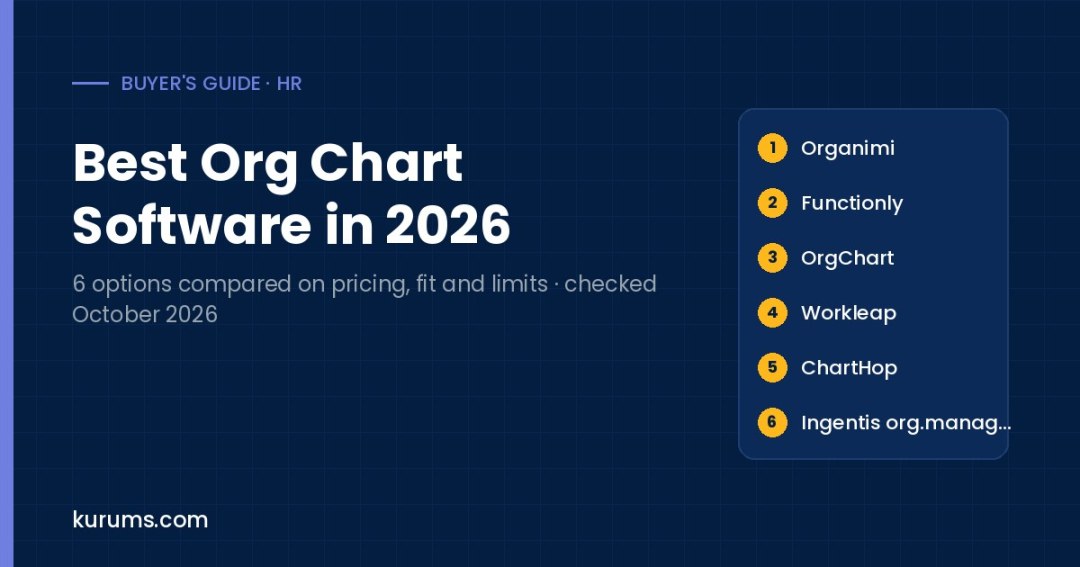
Buyer's guide · HR
We compared six org chart software products on published pricing, trials, data sources and HRIS sync, scenario and headcount planning, sharing options and the company size each one fits.
- Small teams needing quick charts: Organimi — Shows Basic from $29 and Premium from $49 on its pricing page, with a 14-day Premium trial and no credit card required.
- Leaders planning restructures: Functionly — Starter costs $24 per seat per month on annual billing with unlimited people and positions, plus a 22-day free trial.
- HR teams wanting automated HRIS charts: OrgChart — Core starts at $105 per month billed annually for 100 charted employees, with 50+ HR data integrations overall.
- HR and Finance planning headcount together: ChartHop — Combines live org charts with headcount planning and connects to 100+ HRIS, ATS and FP&A systems, priced by proposal.
- Large SAP or multi-HRIS enterprises: Ingentis org.manager — Consolidates data from several HR systems, lists SAP, Oracle, UKG and Personio as partners, and adds org design modules.
Org chart software turns employee and position data into a visual map of who reports to whom. Basic tools let you build and share a chart from a spreadsheet. More advanced platforms sync automatically with your HRIS, show vacancies and dotted-line relationships, and let HR and finance model reorganizations or headcount plans before making changes. The category solves outdated slide-deck charts, confusion about reporting lines in growing or remote companies, and slow reorganization planning done in spreadsheets. Buyers include office managers and HR generalists at small firms, HR and people operations teams at mid-size companies, and HR, finance and strategy leaders at large enterprises who need workforce visualization across several HR systems.
We compared each product on published pricing, free plan or trial, data sources and HRIS sync, planning features, sharing and access controls, and main limitation. Products are listed in practical buyer order, from self-serve tools with published prices to quote-led platforms for larger organizations. This order is not a quality ranking. Prices were checked on official vendor pricing pages on 12 October 2026 and are in USD. Several vendors price by headcount charted or by seat, so confirm the price for your own employee count.
Org Chart Software compared at a glance
| Platform | Pricing | Best for | Link |
|---|---|---|---|
| 1. Organimi | Basic from $29, Premium from $49 (scales with people charted); Enterprise quote | Small teams building charts quickly | Site → |
| 2. Functionly | Starter $24/seat/mo, Advanced $49/seat/mo (annual, 10-seat min); Enterprise $79/seat | Scenario planning and restructures | Site → |
| 3. OrgChart | Core from $105/mo, Plus $157, Pro $263 (100 employees, billed annually) | Automated charts from HR data | Site → |
| 4. Workleap (formerly Pingboard) | Standard from $4,999 USD billed annually; Pro from $11,999; Enterprise custom | Org chart plus employee directory | Site → |
| 5. ChartHop | Quote-based; proposal based on team size, needs and integrations | Org data plus headcount planning | Site → |
| 6. Ingentis org.manager | Quote-based; request a demo | Complex multi-system enterprises | Site → |
Pricing checked 12 October 2026 on each vendor's official pricing or product pages. Prices are list prices in USD unless stated; "Quote-based" means the vendor does not publish a price. Order follows buyer fit and pricing transparency, not a quality score. Confirm billing basis, minimums and taxes with the vendor before you buy. Methodology is described below.
The 6 options in detail
Organimi
Best for small teams building charts quicklyBest for: Small and mid-size organizations, including nonprofits and associations, that want an affordable, easy chart builder with optional integrations.
| Attribute | Organimi |
|---|---|
| Published pricing | Pricing page shows Basic $29 and Premium $49 at its default headcount; price scales with people charted; Enterprise by quote |
| Free plan or trial | 14-day Premium trial with no credit card required; no free plan listed |
| Data sources and HRIS sync | CSV and Excel import; Premium adds Organimi Connect for sFTP, Active Directory, Google and Salesforce |
| Planning features | Traditional charts on Basic; Premium adds unlimited matrix and governance charts, reporting and analytics |
| Sharing and access | Basic allows 20 admins; Premium adds unlimited admins, SSO and US, EU or AU hosting |
| Main limitation | Billing unit and headcount tiers are not labeled clearly on the pricing page, so confirm your quote |
- Premium supports matrix and board or governance charts, useful for nonprofits and associations.
- Offers regional hosting in the US, EU and Australia on Premium.
- The pricing page does not clearly label the billing period or headcount tiers, and integrations need Premium.
Our take: Organimi suits a small or mid-size organization that needs a clean, shareable org chart without a long setup. You import employees from a CSV or Excel file, drag positions into place and share the chart with staff. Basic covers unlimited traditional charts and up to 20 admins, while Premium adds unlimited admins, SSO, matrix and governance charts, reporting and analytics, regional hosting and Organimi Connect integrations with Active Directory, Google, Salesforce and sFTP. The pricing page displays $29 for Basic and $49 for Premium at its default headcount setting, with a slider that changes price by people charted, but it does not label the billing unit, so confirm your figure during the 14-day Premium trial. In the trial, test an import from your HR export and check how updates flow. Compared with Functionly, Organimi is simpler and less focused on scenario planning. Compared with OrgChart, it is cheaper at small headcounts but less automated.
Functionly
Best for scenario planning and restructuresBest for: Founders, executives and HR leaders who want to model reorganizations, vacancies and headcount costs on a per-seat plan.
| Attribute | Functionly |
|---|---|
| Published pricing | Starter $24 and Advanced $49 per seat per month on annual billing with 10 seats minimum; Enterprise $79 per seat or custom for 20+ |
| Free plan or trial | 22-day free trial on Starter and Advanced; no free plan, but a demo chart test drive |
| Data sources and HRIS sync | CSV import on all plans; add-on data integrations on Advanced; multiple data sources and API on Enterprise |
| Planning features | Vacancy and headcount planning on Starter; Advanced adds scenario planning, cost and FTE forecasting and comparisons |
| Sharing and access | Share links, roles and dotted lines; privacy mode on Advanced; workspace access controls and SOC 2 on Enterprise |
| Main limitation | Priced per seat for editors, so costs grow with the number of people building and reviewing plans |
- Unlimited people and positions on every plan, with real-time collaboration.
- Advanced adds scenario comparison and cost, headcount and FTE forecasting.
- HRIS integrations are add-ons on Advanced, and SOC 2 compliance and API access are listed only on Enterprise.
Our take: Functionly fits leaders who use an org chart to plan, not just to display. You build or import your structure, then model vacancies, new teams and reporting changes, and on Advanced compare scenarios side by side with cost, headcount and FTE forecasts. Pricing is per seat: Starter is $24 per seat per month and Advanced $49 on annual billing with a 10-seat minimum, while monthly billing starts at 3 seats with higher per-seat rates. Enterprise starts at $79 per seat for 20 or more seats and adds multiple data sources, API access, workspace access controls and SOC 2 compliance. A 22-day free trial is enough to model one real reorganization. In the trial, check how roles and responsibilities are captured and how easily you can share a scenario with a limited audience. Compared with ChartHop, Functionly is lighter and publishes prices; compared with Organimi, it is stronger for planning but less suited to large read-only audiences.
OrgChart
Best for automated charts from HR dataBest for: HR teams at mid-size and larger companies that want charts generated automatically from their HRIS and shared as PowerPoint, PDF or web links.
| Attribute | OrgChart |
|---|---|
| Published pricing | Core from $105, Plus $157 and Pro $263 per month, billed annually, for 100 charted employees; price rises with headcount |
| Free plan or trial | No free trial mentioned; demo on request |
| Data sources and HRIS sync | 50+ HR data integrations; Core includes 1 data source, Plus 3 and Pro 6 |
| Planning features | Plus adds position-based charts, matrix reporting and history; Pro adds workforce planning via position management |
| Sharing and access | Sharing by PowerPoint, PDF and web links, with SSO and MFA; Plus and Pro add granular user-group security |
| Main limitation | Annual contracts of one to three years and no published trial |
- Generates unlimited automated, customizable charts from connected HR data.
- Exports to PowerPoint and PDF, which suits board packs and leadership reviews.
- Contracts run one to three years, and the starting prices cover only 100 charted employees.
Our take: OrgChart, from the vendor at theorgchart.com, suits HR teams that want charts to update automatically from the HRIS rather than editing them by hand. You connect one or more data sources, depending on plan, and the system generates charts that can be filtered, grouped and exported to PowerPoint, PDF or web links. Core starts at $105 per month for 100 charted employees, Plus at $157 adds position-based charts, matrix reporting and historical views, and Pro at $263 adds workforce planning powered by position management. All plans are billed annually on one to three-year contracts, and prices rise with headcount. A 20% nonprofit discount is available. There is no published trial, so book a demo with your own HRIS data. In the demo, test how vacancies and matrix lines display and how often data refreshes. Compared with Organimi, OrgChart is more automated but costs more. Compared with ChartHop, it is more focused on charting than on broader people analytics.
Workleap (formerly Pingboard)
Best for org chart plus employee directoryBest for: Mid-size companies that want an org chart and searchable people directory inside a wider employee experience suite.
| Attribute | Workleap (formerly Pingboard) |
|---|---|
| Published pricing | Standard from $4,999 USD and Pro from $11,999 USD, billed annually; Enterprise custom for 250+ employees |
| Free plan or trial | No free trial listed; demo on request |
| Data sources and HRIS sync | Automated HRIS integration or Excel upload; Workleap says it supports 100+ vendors natively or via custom MCP |
| Planning features | Private planning org charts for modeling resource allocation, with comments |
| Sharing and access | Employee directory, custom profiles with skills and interests, and a Who's Who name game |
| Main limitation | Sold as part of a broader suite, so it is costly if you only need an org chart |
- Combines org chart, people directory and profiles in one employee-facing tool.
- Workleap acquired Pingboard in December 2023, and pingboard.com now redirects to Workleap.
- Entry pricing starts at $4,999 per year for a suite tier, which is high for buyers who need charting alone.
Our take: Workleap is where Pingboard now lives. Workleap announced the acquisition in December 2023, and pingboard.com redirects to a Workleap page that describes the same org chart and employee directory, now part of Workleap's employee experience suite. It fits mid-size companies that want employees to look up colleagues, see reporting lines, browse skills and interests, and learn names across teams. Data comes from an automated HRIS integration or an Excel upload, and private planning charts let leaders model changes before sharing them. Pricing is by suite tier rather than per user: Standard, which includes the org chart and people directory, starts at $4,999 USD billed annually, and Pro starts at $11,999. Enterprise pricing is custom for organizations with more than 250 employees. In a demo, confirm which Workleap modules you actually need. Compared with Organimi or Functionly, Workleap costs more but adds an employee-facing directory and wider engagement tools.
ChartHop
Best for org data plus headcount planningBest for: Growing and enterprise companies where HR and Finance plan headcount together and want org charts tied to live people data.
| Attribute | ChartHop |
|---|---|
| Published pricing | Quote-based; ChartHop Core plus modules, proposal based on team size, needs and integrations |
| Free plan or trial | No free plan or trial listed; demo on request |
| Data sources and HRIS sync | Connects with 100+ HRIS, ATS and FP&A systems, including ADP, Workday, SAP SuccessFactors, BambooHR and UKG |
| Planning features | Scenario org charts and headcount planning with a Finance view; compensation, performance and goals modules |
| Sharing and access | AI answers with Access Guard permissions; access in Slack or Teams |
| Main limitation | No public pricing, and the full value depends on buying several modules |
- Lets HR and Finance plan headcount in one tool instead of exchanging spreadsheets.
- Offers AI questions and no-code agents that respect existing data permissions.
- There is no published price, and core org charting is bundled with modules that smaller teams may not need.
Our take: ChartHop fits companies that see the org chart as one view of a wider people data platform. It syncs from your HRIS and other systems, shows live org charts, and adds modules for headcount planning, compensation reviews, performance, goals, engagement and an HRIS. A June 2026 update added a Finance view for headcount planning, and scenario org charts let you model changes before they happen. AI features answer workforce questions linked to source data, and Access Guard limits what people and agents can see. Pricing combines ChartHop Core with modules, and you receive a proposal after answering questions on team size, needs and integrations. In a demo, ask which modules are needed for your use case, how permissions work for sensitive compensation data, and how planning integrates with your FP&A tool. Compared with Functionly, ChartHop is broader and quote-based. Compared with Ingentis, it is more cloud-native and aimed at fast-growing companies.
Ingentis org.manager
Best for complex multi-system enterprisesBest for: Large enterprises, especially SAP users, that need org charts and org design built from several HR systems and data sources.
| Attribute | Ingentis org.manager |
|---|---|
| Published pricing | Quote-based; no prices published |
| Free plan or trial | No free trial; free demo on request |
| Data sources and HRIS sync | Consolidates data from multiple HR systems; lists SAP, Oracle, UKG and Personio as technology partners |
| Planning features | OrgDesigner simulates planned changes; modules for succession, open positions and workforce exit |
| Sharing and access | Essential, Advanced and Premium chart versions; role-based access control and PowerPoint export as add-ons |
| Main limitation | Quote-only and suited to enterprises with complex data, so it is heavy for small teams |
- Built to combine data from several HR and business systems into one browser-based chart.
- Ready-made modules cover succession planning, open position management and HR dashboards.
- No published pricing, and implementation typically needs integration work with your HR systems.
Our take: Ingentis org.manager fits large enterprises with complex structures and several HR systems, such as a global company running SAP in one region and another HRIS elsewhere. It consolidates data into browser-based charts available in Essential, Advanced and Premium versions, with filtering, highlighting, HR metrics and analytics at higher levels. OrgDesigner lets planners simulate changes, and ready-to-run modules cover succession planning, open position management, workforce exit, a people directory and HR dashboards. Add-ons include role-based access control, big data visualization, a mobile experience and PowerPoint export. Ingentis is an SAP Silver Partner and lists SAP, Oracle, UKG and Personio as technology partners. Pricing is by quote and evaluation starts with a demo. In that demo, ask about your specific HR system connectors, hosting options and implementation time. Compared with ChartHop, Ingentis is more focused on org visualization and design across complex data landscapes than on broader people workflows.
How to choose org chart software
Decide where your data will come from
Manual charts go out of date quickly. If your HRIS holds accurate reporting lines, choose a tool that syncs automatically. OrgChart lists 50+ HR integrations, ChartHop connects with 100+ systems, and Workleap supports automated HRIS sync. Smaller teams without an HRIS can start with CSV or Excel imports in Organimi or Functionly. Large enterprises with several HR systems should look at tools built to consolidate sources, such as Ingentis. Check whether integrations are included in your plan or sold as add-ons, as they are on Functionly Advanced and Organimi Premium.
Separate display needs from planning needs
Some buyers just need everyone to see the current structure. Others need to model reorganizations, vacancies and headcount costs. Display-focused tools such as Organimi and Workleap emphasize sharing and directories. Planning-focused tools such as Functionly, ChartHop, OrgChart Pro and Ingentis OrgDesigner offer scenarios and forecasting. Decide which matters more, because planning features usually cost more and need tighter access controls. If you only plan a reorganization occasionally, a per-seat planning tool for a few leaders may be cheaper than a company-wide platform.
Check access controls for sensitive data
Draft reorganizations, vacancies and compensation data are sensitive. Check whether you can keep planning scenarios private, restrict fields by user group and control what the wider company sees. Functionly offers privacy mode on Advanced and workspace access controls on Enterprise, OrgChart adds granular user-group security on Plus and Pro, and ChartHop's Access Guard limits what people and AI agents can view. Confirm SSO support and audit options if your security team requires them, and ask where data is hosted. Also ask how long draft scenarios are retained.
Understand how pricing scales
Pricing models vary. Functionly charges per seat for editors, OrgChart charges by number of employees charted, Workleap charges per suite tier, and ChartHop and Ingentis quote by size and modules. Estimate both your current headcount and where it will be in two years, then calculate cost under each model. Per-seat pricing can be cheap if only a few people edit charts, while headcount pricing suits companies where many people view charts but few edit them. Ask about contract length too, as OrgChart contracts run one to three years.
Test exports and sharing
Org charts are often shared in board packs, onboarding materials and leadership presentations. Check whether the tool exports clean PowerPoint or PDF files, as OrgChart and Ingentis do, and whether web links can be shared with limited audiences. Test how the chart looks for a large department, how matrix and dotted-line relationships display, and whether photos and job titles update automatically. A chart that is hard to read at scale will not be used, whatever the feature list says. Check mobile viewing as well.
How org chart software pricing works
Org chart software uses several pricing models. Per-seat pricing charges for each person who edits or plans: Functionly costs $24 per seat per month on Starter and $49 on Advanced with annual billing and a 10-seat minimum, and $79 per seat on Enterprise. Headcount-based pricing charges by number of employees shown: OrgChart starts at $105 per month for Core, $157 for Plus and $263 for Pro, billed annually for 100 charted employees, rising with headcount. Organimi shows Basic at $29 and Premium at $49 at its default headcount setting, with a slider that changes price by people charted.
Suite and quote-based pricing is common at the upper end. Workleap, which now includes the former Pingboard product, starts its Standard tier at $4,999 USD billed annually and Pro at $11,999, with custom pricing for organizations above 250 employees. ChartHop sends a proposal based on team size, modules and integrations, and Ingentis prices by quote. When comparing quotes, ask what is included in the base price, which integrations cost extra, whether planning or analytics are separate modules, and how renewal pricing changes as headcount grows. Multi-year contracts may lower the annual price but reduce flexibility.
For a fair comparison, calculate annual cost at your current headcount and at your expected headcount in two years. Include integration add-ons, extra editor seats and any implementation fees. Trials from Organimi and Functionly let you test before buying. Remember that the cheapest tool on paper may cost more in admin time if charts must be updated by hand. Weigh that time against the price difference of an automated option.
Kurums Match: which one fits you?
Pick the situation closest to yours. Each answer jumps to the matching card above.
I just need a clean chart I can share with staffSmall organization, tight budget
Organimi → Organimi offers a quick chart builder with CSV import, a 14-day Premium trial and low starting prices.
I am planning a reorganization and need to compare optionsLeadership planning use
Functionly → Functionly Advanced adds scenario planning and cost, headcount and FTE forecasting on a per-seat plan with a 22-day trial.
I want charts to update automatically from our HRISMid-size HR team
OrgChart → OrgChart generates automated charts from 50+ HR data integrations, with PowerPoint and PDF exports.
Our HR and Finance teams plan headcount togetherGrowing or enterprise company
ChartHop → ChartHop combines live org charts with headcount planning and a Finance view, connected to 100+ systems.
We run SAP and other HR systems across regionsComplex global enterprise
Ingentis org.manager → Ingentis org.manager consolidates data from several HR systems and adds org design and succession modules.
Buying tip
Before buying, export your current employee list from your HRIS and import it during a trial or demo. How cleanly reporting lines, vacancies and matrix relationships come through will show you more about fit than any feature list.
Org Chart Software: frequently asked questions
What is org chart software?
Org chart software creates visual maps of an organization's reporting structure from employee and position data. Basic tools build charts from spreadsheets, while advanced platforms sync with your HRIS, show vacancies and dotted lines, provide employee directories and let leaders model reorganizations or headcount plans. Charts can usually be shared as web links or exported to PowerPoint and PDF.
Is there free org chart software?
None of the six products here offers a permanent free plan, but several offer trials. Organimi has a 14-day Premium trial with no credit card required, and Functionly offers a 22-day free trial on Starter and Advanced, plus a demo chart test drive. General diagramming tools can draw simple charts for free, but they do not sync with HR data or support planning.
How much does org chart software cost?
Costs on this page range widely. Functionly costs $24 per seat per month on Starter with annual billing and a 10-seat minimum. OrgChart starts at $105 per month billed annually for 100 charted employees. Organimi shows Basic at $29 and Premium at $49 at its default headcount. Workleap starts at $4,999 per year, while ChartHop and Ingentis price by quote.
What happened to Pingboard?
Workleap acquired Pingboard in December 2023. The pingboard.com website now redirects to a Workleap page, which describes the same cloud-based org chart and employee directory as part of Workleap's employee experience suite. Pricing is now by Workleap tier, with the Standard tier, which includes the org chart and people directory, starting at $4,999 USD billed annually.
Can org chart software sync with my HRIS?
Most business-focused tools can. OrgChart lists 50+ HR data integrations, ChartHop connects with 100+ systems including Workday, ADP and BambooHR, and Workleap supports automated HRIS integration. Organimi offers integrations on Premium, Functionly offers add-on data integrations on Advanced, and Ingentis consolidates data from several HR systems. Confirm your specific HRIS and whether the integration costs extra.
What is the difference between org charting and workforce planning?
Org charting shows the current structure. Workforce planning models future structures, including new positions, vacancies, budgets and headcount over time. Tools such as Functionly Advanced, OrgChart Pro, ChartHop and Ingentis OrgDesigner add planning features like scenarios and cost forecasts. If you plan reorganizations or budget headcount regularly, choose a tool with these features and strong access controls.
Related comparisons
Last updated 13 October 2026 · Pricing checked 12 October 2026.
Disclosure: Kurums is reader-supported through advertising. We currently have no affiliate, sponsorship or partnership relationship with any product compared on this page; if that changes, this page will say so and affected links will carry sponsored attributes.
Discover more from Kurums | Business Intelligence
Subscribe to get the latest posts sent to your email.