

Every payroll provider advertises a number that is technically accurate and practically incomplete. Here is the full anatomy of a payroll bill, and how to model yours before you sign anything.
The four-layer bill
Payroll pricing looks simple because the first layer is simple. A base fee, a per-person fee, and you are done. In practice a payroll bill has four layers, and only the first appears on the pricing page.
- Layer 1 — base and per-person. The advertised number. Scales with headcount.
- Layer 2 — tier cliffs. Step changes triggered by growth events, not by choice.
- Layer 3 — add-ons and service fees. Registration, time tracking, broker fees, year-end forms, implementation.
- Layer 4 — global costs. Statutory contributions, deposits, FX spread, country surcharges. Only applies if you cross borders, and then it dwarfs everything above.
Most buyer regret comes from comparing providers on layer one and discovering layers two and three afterwards. This guide walks each layer and ends with a modelling exercise you can complete in about fifteen minutes.
Layer 1: base and per-person
Almost every modern provider charges a fixed monthly base fee plus a recurring fee per person paid. The per-person component is the one that matters, because it compounds while the base fee does not.
| Provider | Published entry price | Structure |
|---|---|---|
| Gusto | $49/mo + $6 per person | Three tiers plus a contractor-only plan |
| OnPay | $49/mo + $6 per worker | One core plan; HR sold as an add-on |
| Rippling | ~$8 per employee/mo + base fee | Core platform only; payroll priced separately |
| Deel (global payroll) | $29 per employee/mo | Modular by product, per worker |
| Deel (EOR) | $599 per employee/mo | Per employee, no salary percentage |
Two structural details are worth internalising. First, a flat per-person fee is materially better than a percentage-of-salary fee for anyone paying above entry-level wages — percentage models scale with your compensation decisions, which is an odd thing to pay for. Second, published rates move: several providers raised base fees during 2025 and 2026, in one case twice inside twelve months. Verify on the vendor's own page the day you decide, because a large share of comparison content quotes stale numbers with complete confidence.
Where the per-person fee is charged
Read the billing definition, not the marketing. Most providers charge per person paid in a billing period rather than per person on the roster, which means seasonal and irregular workers only cost you in months they are actually paid. Some providers count anyone included in a pay run even at zero earnings — so leaving inactive people checked in a run quietly adds cost.
Layer 2: tier cliffs
This is the layer that generates the most surprise, because a cliff is not something you choose. It is something your growth triggers.
The second-state cliff
The most common and most expensive. On tiered providers, hiring one employee in a second state can force an upgrade that raises the base fee and doubles the per-person charge for everyone, not just the new hire.
Worked through: a twelve-person single-state team on an entry plan at $49 + (12 × $6) pays $121 a month. Hire one remote employee in another state and a tiered provider moves you to $80 + (13 × $12) = $236. The extra person cost $6 of value and $115 of bill. A flat-rate provider that includes multi-state charges $127 for the same change.
Other common cliffs
- Deposit speed. Faster funding is frequently reserved for a higher tier. This matters most for hourly teams with tight cash timing.
- Custom reporting. Standard reports are universal; flexible or custom reports often sit on the top tier.
- Priority support. Widely gated, and the gate falls precisely where small employers cannot reach it.
- Performance and HR modules. Reviews, compliance alerts, and HR advisory access tend to live on premium plans.
- Headcount minimums. Some enterprise-oriented plans impose a floor that makes them irrelevant below a threshold.
Layer 3: add-ons and service fees
These do not scale predictably, which is why they are easy to omit from a comparison and awkward to discover later.
| Line item | Typical treatment | What to ask |
|---|---|---|
| State tax registration | Per-state service fee, one-time | Cost per state, and whether you can self-file free |
| Time tracking | Add-on or higher tier; sometimes absent | Native or integration? What does the integration cost? |
| Benefits broker fee | Free if the provider is your broker | Fee to keep your existing broker |
| Year-end forms | Included by modern providers | Preparation, e-delivery, and printed mailing separately |
| Amended filings | Often chargeable | Cost of a correction, and whose error it covers |
| Garnishment processing | Included by some, per-item by others | Per-payment fee, if any |
| Implementation | Free self-serve; real for platforms | One-time fee and realistic time to first run |
| Migration | Staff-assisted or self-serve | Who enters year-to-date data, and who verifies it |
| SaaS sales tax | Applies in some jurisdictions | Whether tax is added to the published rate |
Two of these deserve emphasis. Implementation is negligible for self-serve payroll tools and genuinely material for modular platforms, where setup fees scale with configuration complexity and device management turns the project into a project. Migration looks administrative and is actually a risk item: carrying inaccurate year-to-date data forward produces incorrect W-2s months later, when the error is expensive and visible.
The modular-platform problem
Platforms that price by module deserve a specific warning. Their published entry price typically covers a core layer that does not include payroll at all. Payroll, benefits, time, and device management each add their own per-employee charge on top. The entry figure is accurate and describes nothing anyone actually buys.
If you are evaluating a modular platform, the only number worth having is a written quote for the exact module set you will run, at your headcount, with implementation and mid-term headcount pricing spelled out. Anything less is not comparable to a published rate card.
Layer 4: global costs
If everyone you pay is in one country, skip this section. If not, this layer is larger than the other three combined and is almost never included in comparisons.
- Statutory employer contributions. Employer-side taxes and social contributions add roughly 10–70% on top of gross salary depending on the country. This is not a platform fee — every provider passes it through — but it is the single biggest number in a cross-border payroll budget and it varies enormously by jurisdiction.
- Security deposits. Employer-of-record providers commonly hold a refundable deposit of around one month's total employment cost per hire before the first payroll, released after offboarding. For ten hires that is substantial working capital locked up exactly when a scaling company can least spare it.
- FX spread. Cross-border payments convert at a markup above the mid-market rate, typically disclosed as a range rather than an invoice line. On a seven-figure international payroll, the difference between a 0.6% and a 2% spread is a meaningful annual number that never appears itemised.
- Country surcharges. Complex markets carry fees above the base rate, so a published per-employee figure is a floor rather than a quote.
- Entity setup. If you incorporate rather than use an EOR, expect substantial one-time legal and registration costs plus ongoing local accounting and filing obligations.
Three worked examples
Abstract structure is less useful than arithmetic. Here are three realistic companies and where their money actually goes.
A. Eight people, one state, all salaried
The simplest case, and the one where published pricing tells nearly the whole story. At $49 base plus $6 per person, this company pays $97 a month on either of the main flat-rate options — about $1,164 a year. There are no tier cliffs in play, no registration fees beyond the initial state, and no time tracking requirement.
The decision here is not cost, because cost is effectively identical. It is whether the company wants HR tooling bundled in or prefers stronger support and a simpler product. Anyone spending more than an afternoon on this comparison is over-optimising.
B. Twenty-two people, four states, mixed hourly and salaried
This is where structure dominates. On a flat-rate provider including multi-state, the bill is $49 + (22 × $6) = $181 a month, plus a time-tracking integration since there is no native clock — call it $60 to $100 more. Roughly $290 a month all in, or about $3,500 a year.
On a tiered provider, four states forces the mid tier: $80 + (22 × $12) = $344 a month, with native time tracking included at that tier. Add per-state registration fees as one-time costs. That is roughly $4,100 a year plus registration.
The gap is real but smaller than the headline tier difference suggests, because the flat-rate option needs a second vendor for time. This is exactly why the comparison has to be built around your configuration rather than a pricing page.
C. Forty people, three states, twelve laptops issued, two contractors abroad
Here the payroll subscription stops being the main number. A modular platform running core, payroll, benefits, and device management at a realistic blended rate lands in the low thousands per month. The relevant comparison is not against a cheaper payroll tool but against the current stack: payroll plus a separate HRIS plus a device management tool plus the hours somebody spends reconciling them.
The two international contractors are a separate line entirely, priced per contractor per month on a global platform, and they carry a classification question that costs nothing until it costs a great deal.
Modelling your real number
Fifteen minutes with a spreadsheet will tell you more than a week of reading comparison articles. Build one row per provider and these columns:
- Base fee at your target tier
- Per-person fee × current headcount
- Per-person fee × projected 24-month headcount
- Tier change triggered by your most likely growth event, with the recalculated total
- One-time costs: implementation, registration per state, migration
- Recurring add-ons: time tracking, broker fee, HR module
- Annual year-end costs, if billed separately
- For global: statutory contributions per country, deposit, estimated FX spread
Then compute three totals per provider: monthly cost today, monthly cost after your most likely growth event, and total cost of ownership over 24 months including one-time items. Rank on the second and third numbers, not the first.
What the exercise usually reveals
Three patterns show up repeatedly. Flat-rate providers lose the headline comparison and win the 24-month one whenever multi-state hiring is in play. Modular platforms cost several times their entry price in any working configuration, which is fine if you use the capability and expensive if you do not. And the difference between the cheapest and most expensive credible option for a small business is usually a few thousand dollars a year — real money, but smaller than the cost of one payroll error or one bad migration.
Frequently asked questions
Independent, badge-backed reviews from the Kurums Trust Program. No brand can pay for a badge or a tier.
More payroll & HR tool guides
Best Workforce Planning Software in 2026: Pricing & Comparison
Buyer's guide · HR Best Workforce Planning Software in 2026: Pricing & Comparison We compared four workforce planning platforms on public pricing, scenario modelling, headcount tools and fit so you can shortlist two in ten minutes. By Kurums EditorialPricing checked...
Best Employee Experience Software in 2026: Pricing & Comparison
Buyer's guide · HR Best Employee Experience Software in 2026: Pricing & Comparison We compared four employee experience and engagement platforms on public pricing, free or trial options, survey and performance modules, and deployment model so HR and people teams can...
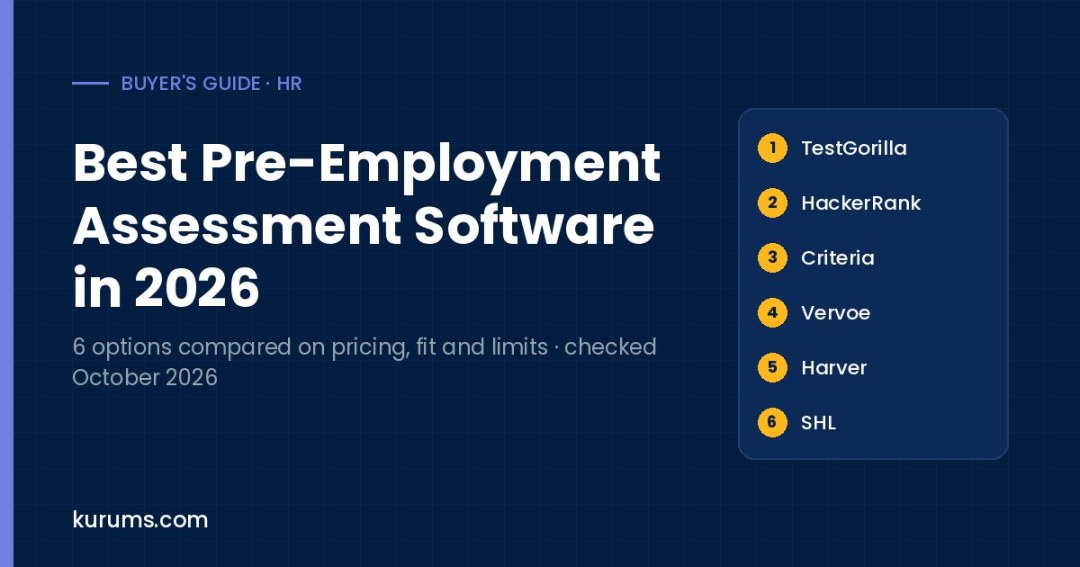
Best Pre-Employment Assessment Software in 2026: Skills Tests Compared
Six pre-employment assessment platforms compared on pricing, free plans and trials, test libraries, AI scoring and the hiring volumes they suit.
Discover more from Kurums | Business Intelligence
Subscribe to get the latest posts sent to your email.