
For years this comparison had an easy answer: OnPay was the cheap one. In 2026 the base prices match, which means the decision now turns on how your team is shaped rather than what the sticker says.
The short answer
Gusto and OnPay both start at $49 per month plus $6 per person. At that price, Gusto gives you a deeper people platform — better onboarding, benefits broking, a native 401(k), a stronger employee app — but gates multi-state payroll, next-day deposit, and custom reports behind higher tiers. OnPay gives you a flatter product with multi-state payroll and every tax filing included in the base price, plus the best customer support in this price band.
So the real question is not which is cheaper today. It is which one stays cheap as your team changes. If you hire across state lines, OnPay stays at its published rate while Gusto forces an upgrade that roughly doubles your per-person cost. If you stay in one state and want HR tooling in the same subscription, Gusto delivers more for the same money.
Pricing compared
Both providers publish their rates, which already puts them ahead of most of the category. The structures look identical at entry and diverge quickly afterwards.
| Gusto | OnPay | |
|---|---|---|
| Entry price | $49/mo + $6 per person (Simple) | $49/mo + $6 per worker |
| Mid tier | $80/mo + $12 per person (Plus) | None — one core plan |
| Top tier | $180/mo + $22 per person (Premium) | None |
| HR add-on | Included at tier level | +$15/mo + $2 per worker |
| Multi-state payroll | Requires Plus | Included in base |
| Next-day deposit | Requires Plus | Standard timelines |
| Year-end W-2 / 1099 | Included | Included |
| Contract | None, month-to-month | None, first month free |
Gusto raised its Simple base fee from $40 to $49 in March 2026, following an earlier increase. OnPay moved from $40 to $49 across the same period. Comparison articles still quoting either provider at $40 are out of date, and you will find plenty of them.
What a 12-person team actually pays
Take a twelve-person company in one state. On Gusto Simple that is $49 + (12 × $6) = $121 a month. On OnPay it is the same $121. Genuinely identical.
Now hire one person in a second state. OnPay goes to $127 — the cost of one more worker, nothing else. Gusto must move to Plus: $80 + (13 × $12) = $236 a month. One hire nearly doubled the bill, and it will keep compounding at $12 per person instead of $6 for every subsequent hire.
That is the single most important number in this comparison, and it is invisible on any pricing page.
The multi-state question
Remote hiring made multi-state payroll a small-business problem rather than an enterprise one. If you hire someone who lives in another state, you generally need to register with that state's tax authorities, withhold correctly for their work location, and file there. Neither platform removes the registration obligation, but they price the handling very differently.
OnPay includes payment and filing across all fifty states in its base rate, with no per-state upcharge on the software itself. Gusto supports multi-state from the Plus plan and sells state registration as a separate service with per-state pricing.
- OnPay: multi-state included; your bill changes only with headcount.
- Gusto: multi-state requires Plus; registration priced per state on top.
- Both: you remain the employer of record and stay responsible for the accuracy of work-location data.
- Neither handles international employment — that is a different product category entirely.
Features and HR depth
This is where Gusto earns its reputation and where the two products genuinely differ.
Where Gusto is stronger
- Onboarding: offer letters, e-signature, and self-service paperwork that new hires complete before day one.
- Benefits: Gusto is a licensed broker and administers plans with no admin markup over premiums when it acts as your broker.
- Retirement: a native 401(k) integration rather than a referral.
- Employee experience: a stronger app and self-service portal that reduces internal questions.
- Time tracking: native from Plus upward, including scheduling and geolocation clock-in.
Where OnPay is stronger
- No tier gating on payroll: everything core is in one price, so your plan never has to change.
- Migration: OnPay staff enter your employee and prior wage data rather than handing you an import template.
- Specialised filings: strong handling for nonprofits, clinics, restaurants, and agricultural employers.
- Accuracy guarantee: if OnPay files incorrectly, it deals with the agency and covers the penalty.
- Reporting: a custom report designer available to everyone rather than reserved for a premium tier.
OnPay has one notable gap: no native time clock. Hourly and shift-based teams will need to integrate a third-party tool, which adds a vendor relationship and a line item. If most of your staff are hourly, price that in before concluding OnPay is cheaper.
It is also worth noting that OnPay's historic all-inclusive positioning now carries an asterisk. PTO management, customisable workflows, and document audits sit in a paid HR add-on at $15 base plus $2 per worker. Core payroll remains untiered, which is the part that governs most bills, but the marketing line is less absolute than it used to be.
Benefits, retirement and workers' comp
Payroll is rarely bought in isolation. For most small employers the real question is what else the subscription covers, because every benefit administered somewhere else becomes another vendor, another login, and another reconciliation at month end.
Health insurance
Gusto is a licensed benefits broker. When it acts as your broker, it administers medical, dental, vision, life, disability, and workers' compensation with no admin markup over the premiums themselves — you pay the insurance cost and nothing on top for the administration. If you want to keep an existing broker, that costs roughly $6 per eligible employee per month, waived on the top plan.
OnPay runs health insurance through its own licensed agency with comparable economics. The practical difference is flexibility rather than cost: Gusto's broker integration option gives you a documented path to keep an existing relationship, while OnPay's model assumes you work through its agency. If you already have a broker you trust and do not want to move, price that before deciding.
Retirement
Both integrate a 401(k) provider rather than running retirement in-house, which is normal at this end of the market. The integration matters more than the brand: what you want is contributions flowing from payroll into the plan without a manual file every period. Both deliver that. Plan fees are separate from your payroll subscription on either platform, and they are frequently the larger number.
Workers' compensation
Both support pay-as-you-go workers' compensation, where premiums adjust as payroll runs rather than being estimated annually and reconciled at audit. For seasonal businesses and companies with variable headcount this is a genuine cash-flow improvement over traditional annual policies, and it removes the audit surprise that catches employers who under-estimated.
Support and switching
Support is the most under-weighted factor in payroll buying decisions and the one that matters most when something goes wrong. Payroll problems are deadline-bound: a filing error has a due date, and the value of reaching a competent person is highest exactly when you are most constrained.
OnPay wins this comfortably. Phone, chat, and email support staffed by people with genuine payroll knowledge is included at the base price. Reviewers cite it more than any other feature.
Gusto's support quality is tied to plan tier. Priority support, a dedicated Customer Success Manager, and certified HR experts sit on Premium. On Simple and Plus, experiences vary widely — good for routine questions, slower when a filing has genuinely gone wrong. Gusto's software-review scores are strong while its consumer-review profile is weaker, and that gap usually reflects escalation experiences rather than everyday use.
Switching costs
Neither provider charges setup or termination fees, and both are month-to-month. OnPay offers a free first month plus staff-assisted migration including prior wage history. Gusto includes payroll migration assistance on Premium; below that it is more self-directed.
The best time to switch is the start of a quarter, ideally 1 January. Mid-year migrations require accurate year-to-date data to carry across, and errors there surface at W-2 time when they are painful to unwind.
Who should choose which
Choose Gusto if
- Your team is in one state and likely to stay there.
- You want benefits, 401(k), and onboarding in the same subscription as payroll.
- Employee experience matters — you want people self-serving rather than emailing you.
- You have hourly staff and want native time tracking rather than another integration.
- You are willing to pay for HR depth you will actually use.
Choose OnPay if
- You employ people in more than one state, or expect to within a year.
- You want a bill that changes only with headcount, never with feature tiers.
- Reachable, knowledgeable support matters more to you than a polished app.
- You are switching providers and want the migration handled for you.
- You operate in a sector with specialised filing needs.
Frequently asked questions
Independent, badge-backed reviews from the Kurums Trust Program. No brand can pay for a badge or a tier.
More payroll & HR tool guides
Best Workforce Planning Software in 2026: Pricing & Comparison
Buyer's guide · HR Best Workforce Planning Software in 2026: Pricing & Comparison We compared four workforce planning platforms on public pricing, scenario modelling, headcount tools and fit so you can shortlist two in ten minutes. By Kurums EditorialPricing checked...
Best Employee Experience Software in 2026: Pricing & Comparison
Buyer's guide · HR Best Employee Experience Software in 2026: Pricing & Comparison We compared four employee experience and engagement platforms on public pricing, free or trial options, survey and performance modules, and deployment model so HR and people teams can...
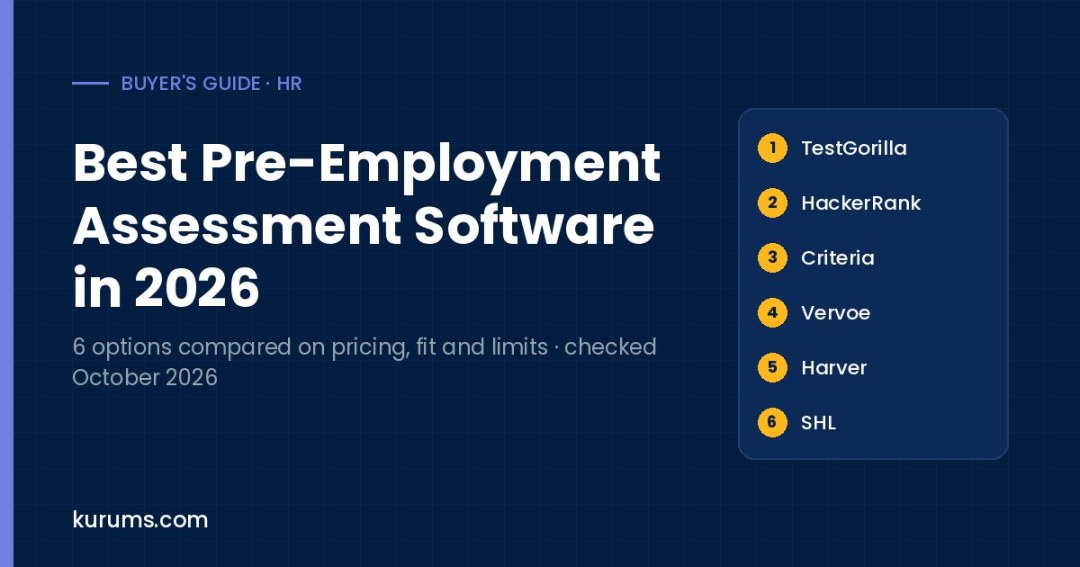
Best Pre-Employment Assessment Software in 2026: Skills Tests Compared
Six pre-employment assessment platforms compared on pricing, free plans and trials, test libraries, AI scoring and the hiring volumes they suit.
Discover more from Kurums | Business Intelligence
Subscribe to get the latest posts sent to your email.